You cannot name the people who left
A customer who stopped buying looks identical in your records to one who bought last week. Nothing marks the difference, so nothing happens about it.
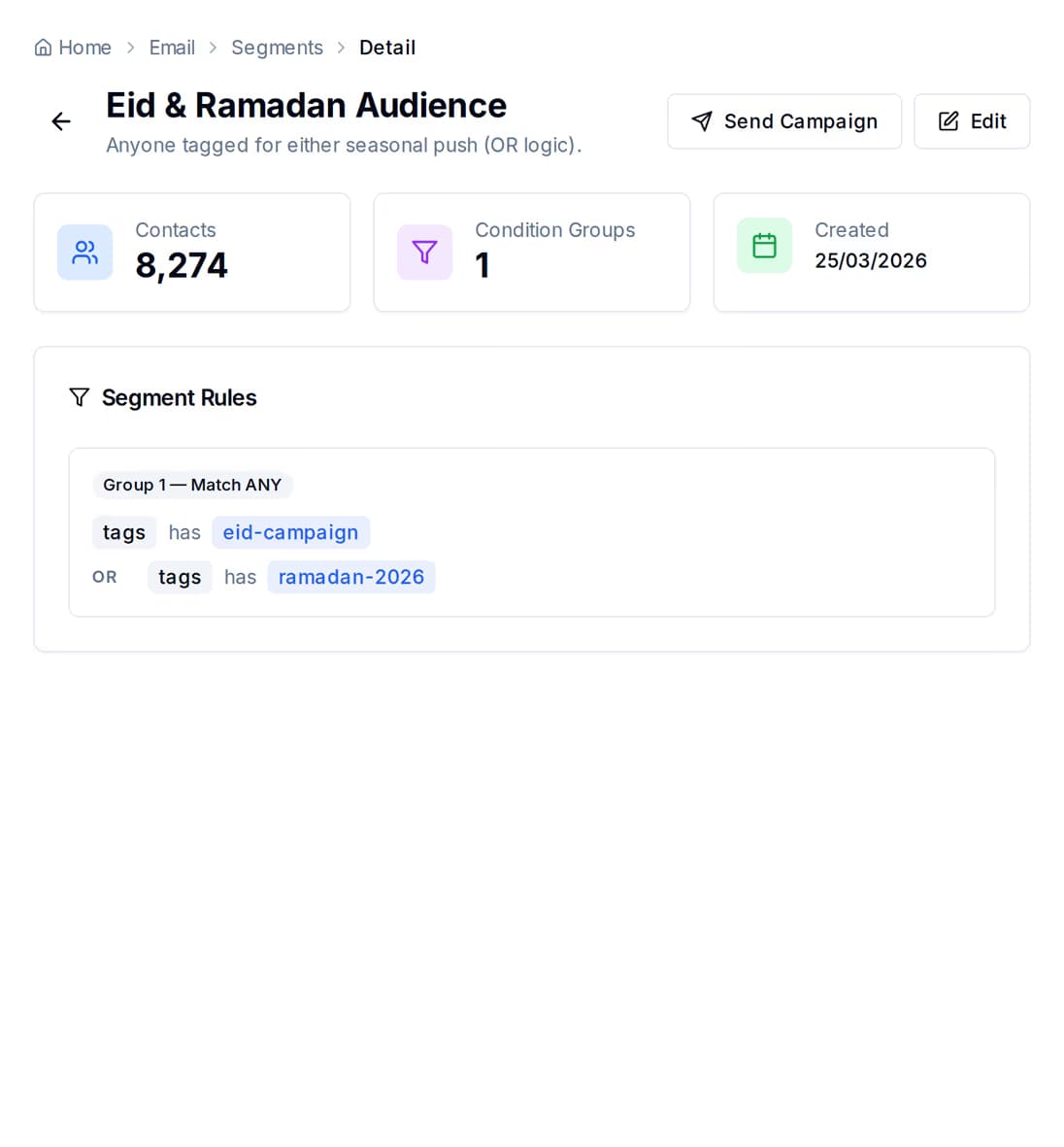
Group the customers who have gone quiet, send them something on the channel they actually read, and give the ones who keep coming back points they can spend. The reminders that run on a date — renewals, birthdays, appointments, due dates — go out on their own.
Nobody plans to lose a customer. It happens because there is no moment in the week when someone sits down and asks who has not been back — and because saying anything to them means typing it out one name at a time.
A customer who stopped buying looks identical in your records to one who bought last week. Nothing marks the difference, so nothing happens about it.
The subscription that lapses, the check-up that was due in six months, the birthday you meant to catch. All of them are on a date somebody wrote down, and none of them send themselves.
The person who buys every month is treated exactly like a stranger. There is no count of what they have spent with you, and no reward waiting when they come back.
You do the first three once. After that the only thing that needs your attention is reading what came back.
Build a group from rules — how they were added, the tags you put on them, their engagement score, when they last opened or clicked, when they joined. QuickGrow counts the matching contacts before you save it, so you know how many people you are about to talk to.
A journey can start on a date on the contact record, when someone opens or clicks a campaign, when a form is filled in, or when your own system tells QuickGrow a tag changed. Dates are the one that runs entirely on its own.
Add the steps in order: an email, an SMS, a WhatsApp message, a wait of hours or days, a yes-or-no branch, a split down two paths, a tag added or removed, a field updated. Replies come back into the shared inbox.
Award points for the purchase, the referral, or whatever you decide counts. Then watch opens, clicks and replies per campaign and per channel, and change the message that is not landing.
A group is a set of rules, not a frozen list. Contacts drop in and out of it as they change, so the win-back group you build today still means the same thing in March.
Worth knowing before you plan around it: groups are built from contact fields, not from orders. There is no “spent over 5,000 taka” or “bought this product” rule. If you want to reach people by what they bought, put a tag on them when they buy — from your own system, an import, or by hand — and build the group on that tag.
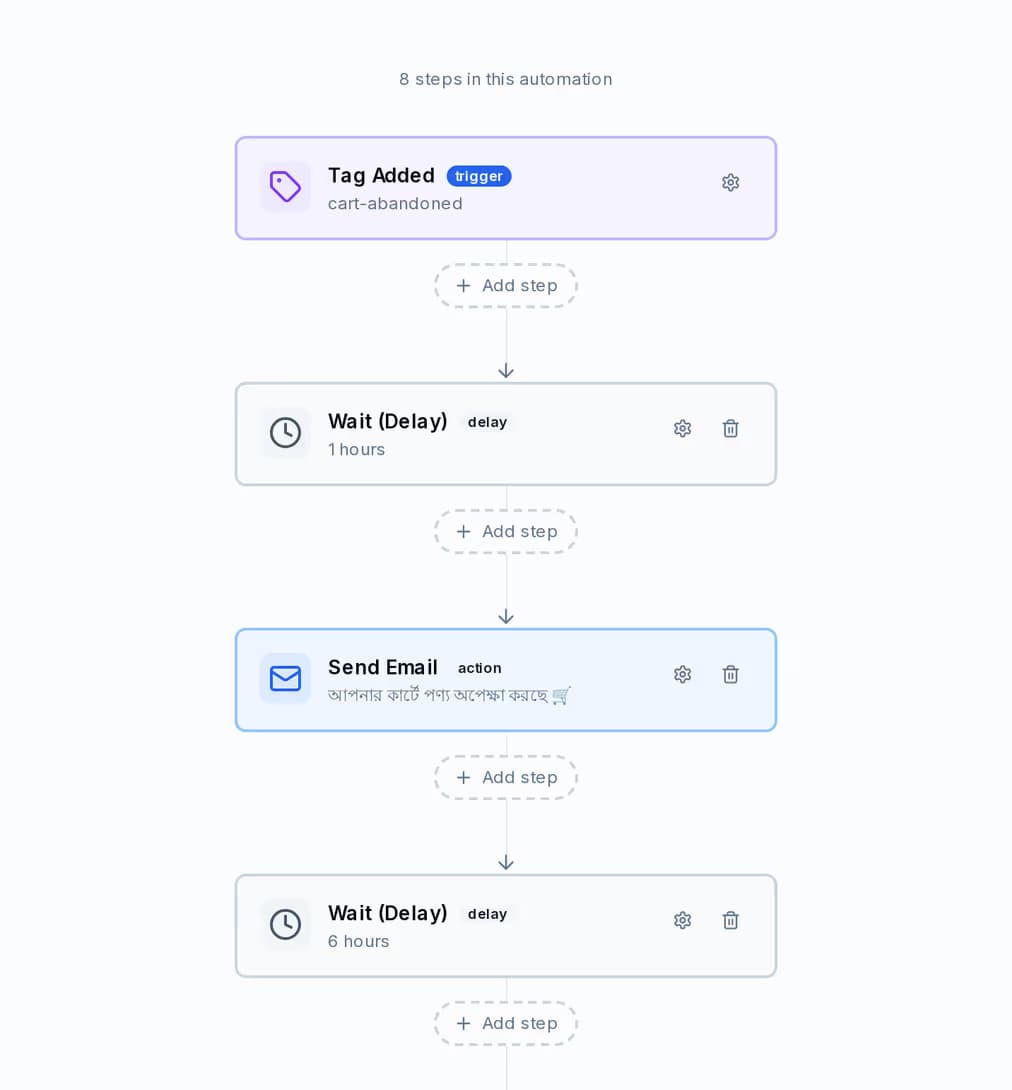
Put a date on the contact — renewal, delivery, appointment, birthday, the day the warranty ends — and set the journey to fire a chosen number of days before or after it. QuickGrow checks every minute and starts the journey the day it comes due, once per contact per day.
The date trigger is the one that runs with nothing else connected. The others need something to report the event: campaign opens and clicks are tracked by QuickGrow, form submissions come from your forms, and tag or field changes fire when your own system or an import tells QuickGrow they happened.
Award points against a customer for a purchase, a referral, a review — anything you decide is worth counting. QuickGrow holds the balance, the lifetime total and the tier, and moves someone up the moment their lifetime total crosses the line. The higher the tier, the faster the points you award pile up.
| Bronze | Silver | Gold | Platinum | |
|---|---|---|---|---|
| Lifetime points needed | 0 | 500 | 2,000 | 5,000 |
| Multiplier on points you award | 1x | 1.25x | 1.5x | 2x |
| Benefits listed on the tier | Rewards access | 25% bonus points | 50% bonus points, priority support | 2x points, exclusive rewards, VIP support |
| Can spend points on your rewards | Yes | Yes | Yes | Yes |
A discount code, a free product, free shipping, or something you describe yourself. Set the points cost and the stock, switch a reward off when it ends, and read every redemption back in one history.
Points are recorded with a reason and a reference, so any balance can be explained to the person holding it. Read a customer’s balance, lifetime total, tier and full history back at any time.
Give every customer a referral code of their own, cap how many referrals count, and see who is actually sending people your way on a leaderboard.
When someone earns points or moves up a tier, the alert goes to your own team, not to the customer. That is deliberate: you decide whether reaching Gold is worth an SMS, a WhatsApp message, an email, or nothing at all — and you send it as a campaign or a journey step, in your own words.
Not a separate loyalty tool, a separate reminder tool and a separate mailing list. One contact record carries the tags, the engagement, the points and the conversation.
Win-back messages are the easiest way to lose someone for good. A few limits are enforced on the way out, whatever you set up.
An SMS or WhatsApp message addressed to one of your contacts is blocked between 9pm and 8am local time — 9pm to 8am in Bangladesh, and your brand’s time zone is used when the customer’s own is unknown. Email is not held back this way.
Each contact has a daily and weekly limit per channel and a minimum gap between messages, so two journeys firing at once cannot pile onto the same person. These are platform limits, not switches in your settings.
An email unsubscribe drops someone out of marketing sends on its own. On SMS the STOP reply is captured and flagged for you to act on. Either way their replies land in the shared inbox.
A contact who matches the same date journey is only started once that day, so a reminder cannot go out twice because a job ran twice.
Not directly. Groups are built from six contact fields — status, source, tags, engagement score, last-engaged date and created date. There is no spend, order value or product rule. The way to do it is to tag a contact when they buy, from your own system, an import or by hand, and build the group on that tag.
Only if you send one. Points and tier changes raise an alert to your own team inside QuickGrow; the loyalty programme has no channel of its own to the customer. You choose the moment and the words, and send it as a campaign or as a step in a journey.
Through the QuickGrow API today. Awarding and redeeming points, reading a balance and history, the tier list, the leaderboard, rewards and referral codes are all endpoints you or your developer can call from your shop, till or booking system. There is no loyalty screen in the app yet, so plan for a small amount of wiring.
Start with the group of people who have gone quiet, and one message to them. Add the reminders and the points programme once the first one lands.
 CyberCraft BangladeshQuickGrow AI
Run every channel from one platform. Bring your own SMTP, SMS gateway, and WhatsApp number — or use ours.
See pricing →