Delivery is not your product
Sender records, bounce handling, a template store, a retry policy that does not double-send. Four sprints of work that your customers will never see and your competitors already have.
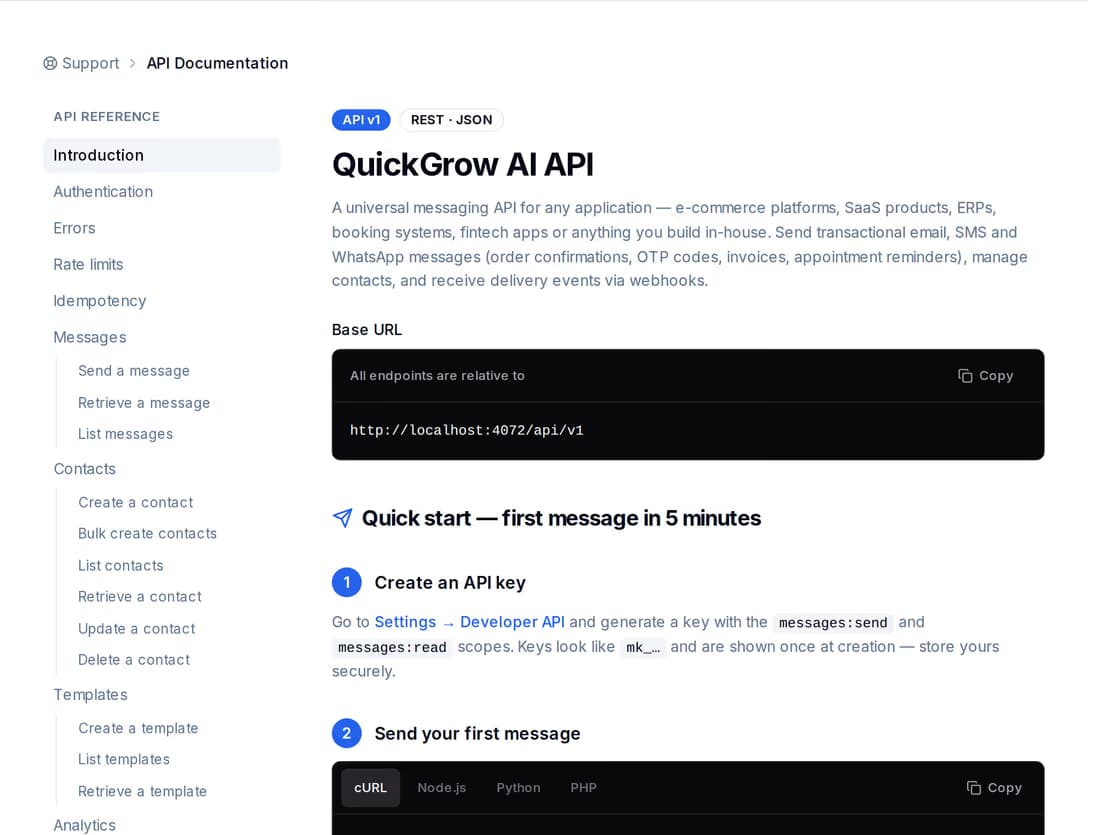
QuickGrow is the part that says it. One call from your server sends email, SMS or WhatsApp; the delivery status comes back as a value you can read and as a signed callback to your endpoint. The onboarding sequence your marketer keeps rewriting lives on a canvas, not in your repository.
Every product ends up sending mail. Almost none of them meant to build a sending system, and the work never appears in a release note anyone is proud of.
Sender records, bounce handling, a template store, a retry policy that does not double-send. Four sprints of work that your customers will never see and your competitors already have.
Email went out through one provider. Then someone asked for a one-time code over SMS. Then your Bangladeshi customers asked for WhatsApp. That is three integrations and three sets of delivery reports.
The day-three onboarding email is a string in your repository. Changing one sentence means a branch, a review and a release, so the sentence never gets changed.
Support asks whether the verification code went out. The honest answer lives in a log file, on a good day, and the customer is still waiting.
There is one send endpoint and it takes all three channels. After that, nothing about adding SMS or WhatsApp looks like an integration project.
Create an API key in the workspace and tick only what it needs — send messages, read messages, write contacts, manage callbacks. Give it a requests-per-minute ceiling, a list of source addresses allowed to use it, and an expiry date. Rotating a key keeps the old one alive for a grace period, so a deploy never races a credential change.
Say which channel, who it goes to, and either the content inline or the id of a saved template plus the values for its placeholders. Email can carry a sender name on a domain you have verified, a reply-to address, and up to ten attachments totalling seven megabytes.
The response carries the message id and its status straight away. Ask for that id later and you get the current status, when it was sent, when it was delivered, and — if it failed — the reason and a failure code you can branch on. Your own reference data comes back untouched on every read.
Point a callback at your server and subscribe to sent, delivered, failed and bounced. Each delivery is signed with a secret only you and QuickGrow hold, and carries the time it was signed, so you can verify the request really came from us before you act on it.
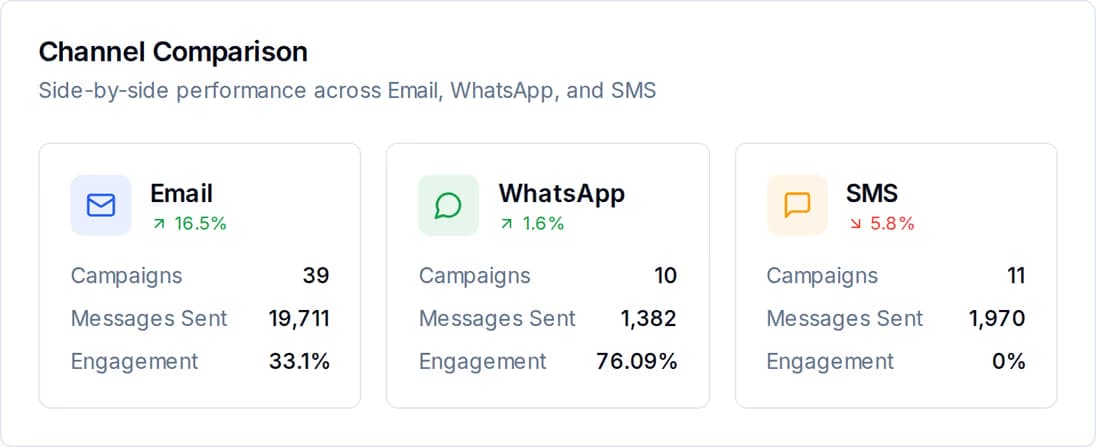
A password reset is an email. A login code is an SMS. An order update is a WhatsApp utility template. Same endpoint, same response shape, same reporting — you change one field and the rest of your code stays where it is.
Two ways to find out, and you can use both. Ask whenever you like, or have the answer pushed to you the moment it changes.
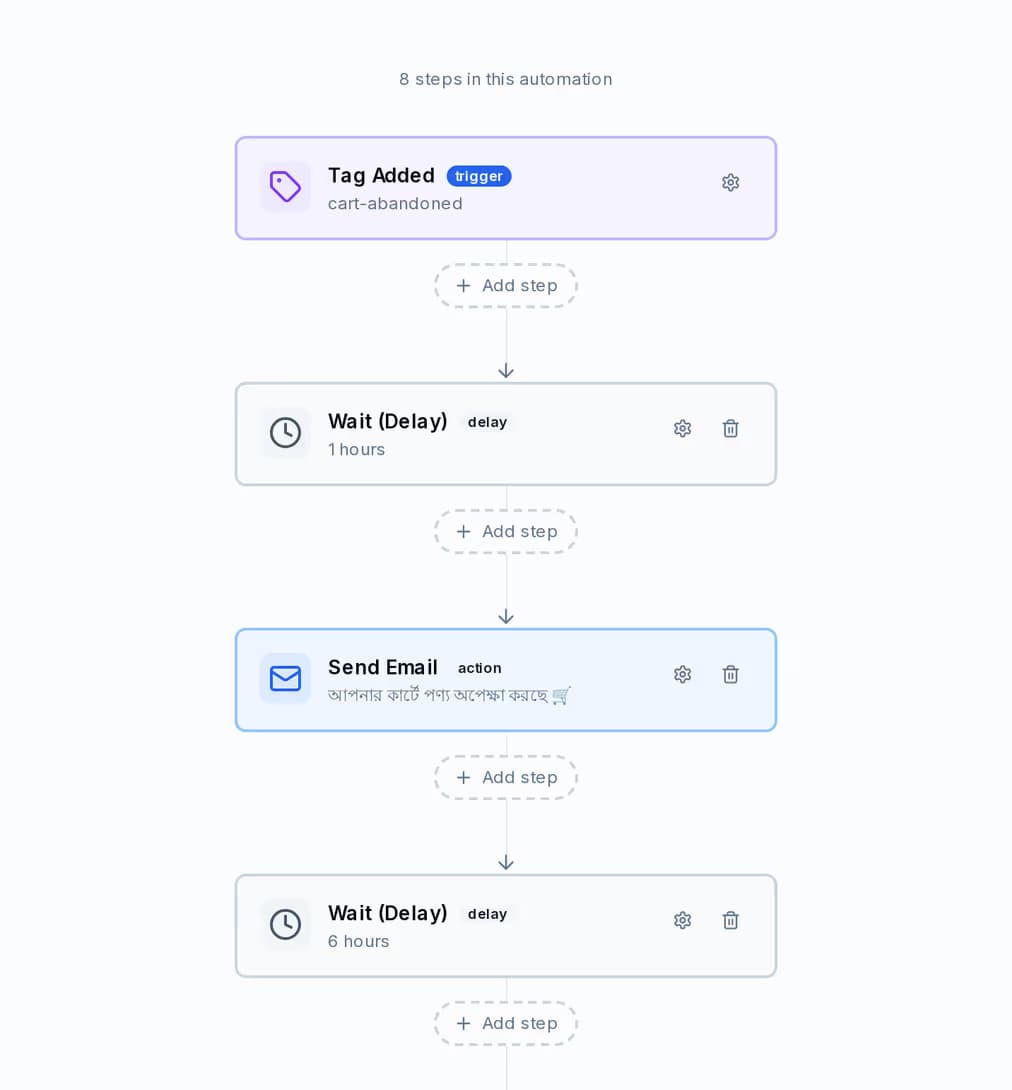
A journey is a trigger, some waits, some sends and some branches, drawn on a canvas. Your marketer rewrites the day-three email at four in the afternoon and nobody opens an editor. The canvas below is a cart-recovery journey from the demo workspace, but a trial-onboarding sequence is built from exactly the same blocks.
QuickGrow speaks the Model Context Protocol. Connect Claude — or any client that speaks it — and it gets thirty real tools backed by the same services the app itself runs on. It signs in the way any other connected app would: a standard authorisation screen, a set of scopes, and a connection you can revoke. This is not a chat box bolted onto a dashboard; it is your workspace, operable by an agent.
They are not competing. Most product teams end up using the first two together, and hand the third to whoever runs marketing.
| REST API | Journeys | AI agent | |
|---|---|---|---|
| Fired by a call from your code | Yes | No | No |
| Changed without a deploy | No | Yes | Yes |
| Who it reaches | One named recipient | One contact at a time | A saved segment |
| Timing | The moment you call it | Waits and date triggers | Send now or schedule |
| Delivery pushed back to your server | Yes | No | No |
| A person has to confirm before it sends | No | No | Yes |
| Best for | Codes, receipts, alerts | Onboarding and win-back | Analysis and drafting |
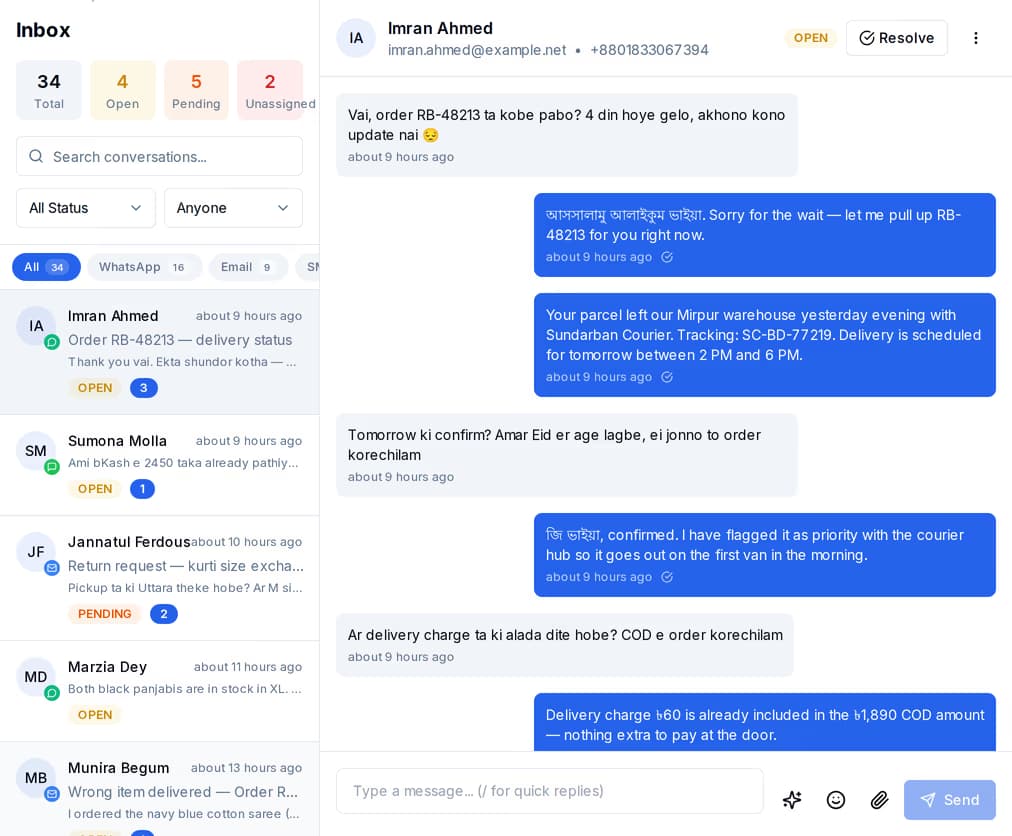
Constantly. Inbound messages on all three channels land in one conversation list instead of three places nobody watches, so a reply to an account alert reaches a human rather than a mailbox.
One POST to the messages endpoint, authenticated with an API key header. You name the channel — email, sms or whatsapp — the recipient, and either the content inline or a saved template id plus the values for its placeholders. The response comes back with the message id and its status. The request and response shape is the same for all three channels, so adding SMS after you have shipped email is a field change, not an integration.
Attach a retry key to the request and a repeat of it replays the original response instead of sending a second message. That holds for 24 hours after the first call, which is longer than any retry policy you are likely to write. Without the key, two identical requests are two separate messages — so use it on anything a queue might redeliver.
Either ask or be told. You can fetch a message by id at any point, or list messages filtered by channel, status and date range with a cursor for paging. Or you subscribe one of your URLs to sent, delivered, failed and bounced: each event is signed with that subscription’s secret and carries a timestamp, and a delivery your server does not accept is retried four more times over the following half hour. Every attempt is logged with the response it got, and you can send a test delivery or roll the secret from the app. Only messages sent through the API raise these events, so campaign traffic will not swamp your endpoint.
Get a key, send one message, and watch the delivery come back to your own endpoint. You pay a platform fee plus the channels you actually send on — and bring your own mail server and the platform fee is all there is.
 CyberCraft BangladeshQuickGrow AI
Run every channel from one platform. Bring your own SMTP, SMS gateway, and WhatsApp number — or use ours.
See pricing →