One sign-in, and that is the setup
Your Salesforce instance address and an access token for the org. QuickGrow calls the Salesforce REST API with that token and nothing else. No Salesforce login is handed over, and nothing is deployed into your org.
QuickGrow signs in to your Salesforce org with an access token and reads two things — your Contacts and your Leads — every six hours, on its own. Nothing is written back. What you do with those people afterwards is the point: WhatsApp, SMS and email to Bangladeshi handsets, from one account, billed in taka.
Be clear about the shape of it before you connect. The connector authenticates against your org, queries Contacts and Leads, counts what came back and records the run. It writes nothing into Salesforce, and it does not build your QuickGrow contact list for you — that list stays yours to fill, by upload, by form, or through the API.
Your Salesforce instance address and an access token for the org. QuickGrow calls the Salesforce REST API with that token and nothing else. No Salesforce login is handed over, and nothing is deployed into your org.
Each Contact comes back with its name, email address, phone number and mailing city, state and country. The first read takes every one of them. After that QuickGrow asks Salesforce only for the Contacts whose record changed since the last successful read.
Each Lead comes back with its name, email address, phone number, company, status and lead source. Same rule: everything on the first read, then only what has changed since the last good one.
No package to deploy, no consultant, no change to the way your team uses Salesforce. If someone on your side can produce an access token for the org, the whole job is two fields and one save.
The address your team already uses to reach Salesforce — the one shaped like https://your-org.my.salesforce.com. Copy it as it is, with no path on the end.
From whoever administers your Salesforce. Read access to the Contact and Lead objects is all the connector ever uses, and it never asks for anyone’s Salesforce login.
Settings → Integrations → Salesforce. Two fields: the instance address and the token. Both are encrypted the moment they are saved, and neither is ever sent back to a browser afterwards.
The connection joins the schedule. Every six hours QuickGrow reads your Contacts and your Leads again, records how many of each it found, and moves the last-read time forward only when the run actually succeeded.
Worth knowing before you hand over a token, and worth knowing if your org is a big one: a repeat read is cheap, because it only asks for the records changed since the last run that finished cleanly.
| Contacts | Leads | |
|---|---|---|
| Direction | Salesforce → QuickGrow | Salesforce → QuickGrow |
| First read | Every Contact in the org | Every Lead in the org |
| Every read after that | Only the ones changed since the last successful read | Only the ones changed since the last successful read |
| What comes back | Name, email, phone, mailing city, state and country | Name, email, phone, company, status and lead source |
| Most recently changed first | Yes | Yes |
| Read page by page until Salesforce says there are no more | Yes | Yes |
| Created, edited or deleted in Salesforce | No | No |
Knowing who is in Salesforce is worth something once you can talk to them. Everything below runs on your QuickGrow contact list — brought in by upload, by a form or popup, or pushed from your own code — and reaches those people on email, SMS and WhatsApp from a single account.
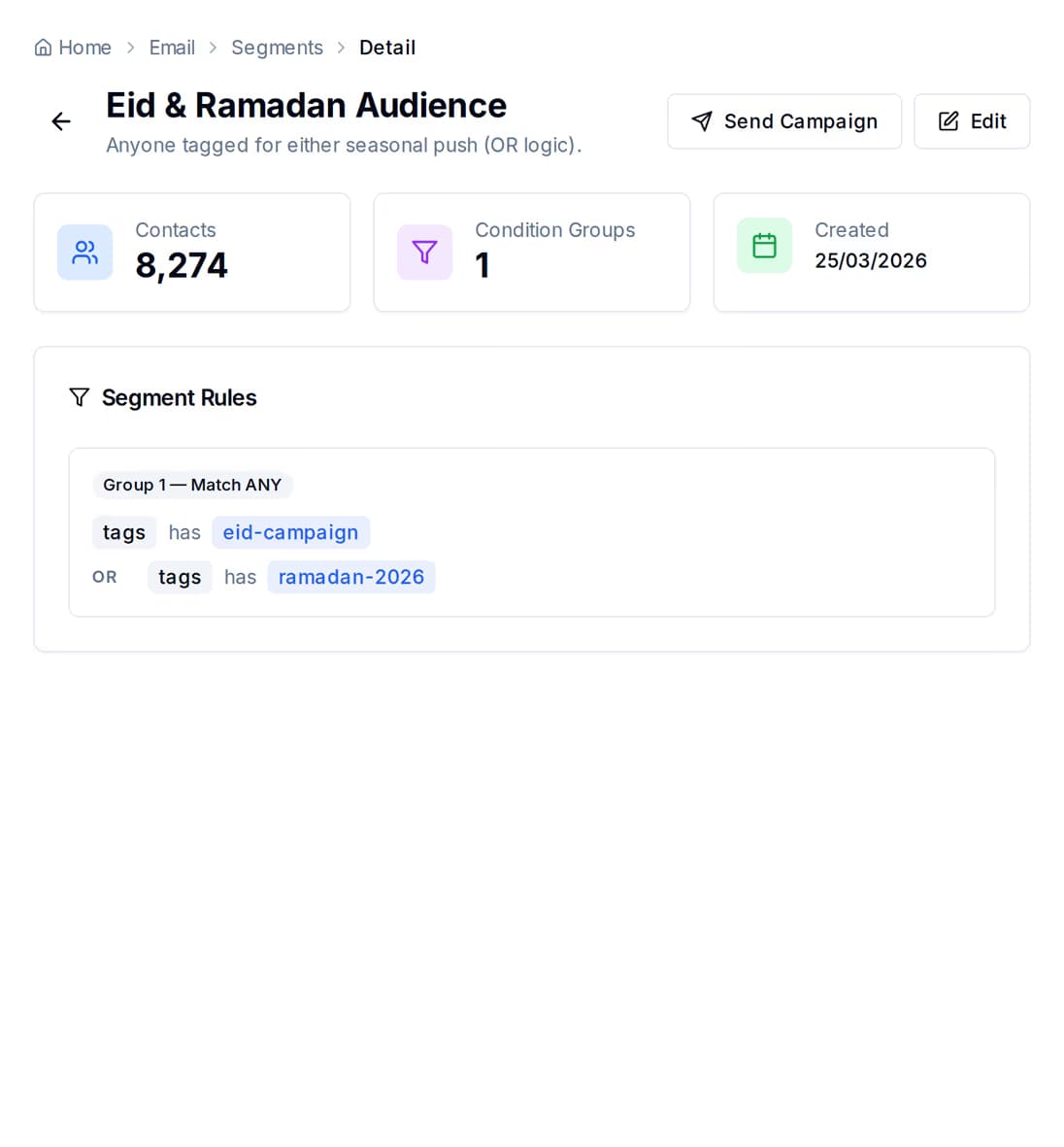
A group is a few rules, and it counts the people it matches before you send a thing. Add a rule, watch the number move, then send to exactly those contacts.
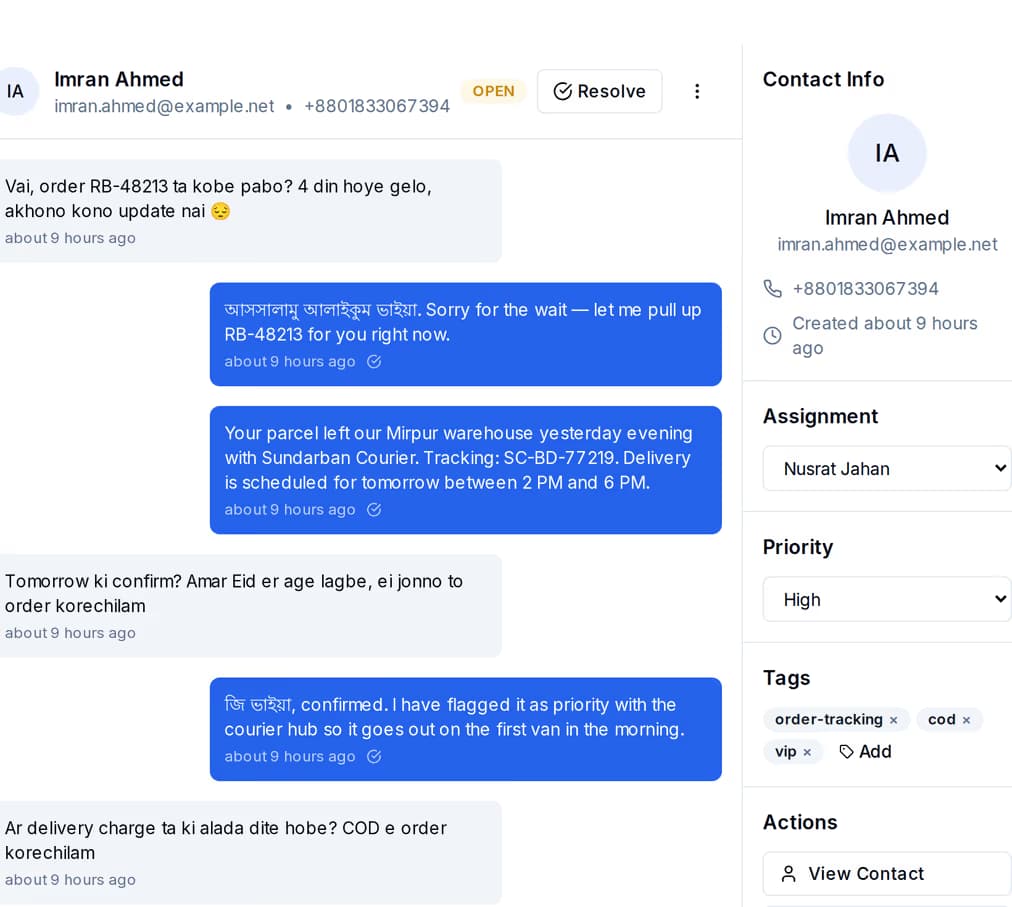
This is the part a Bangladeshi team needs and the part a record in a CRM cannot do by itself. Three channels, one account, one bill, and every reply landing in the same shared inbox.
Nothing on its own. What you pay depends on how much you send, and on whether you bring your own mail server or SMS account.
It comes with the platform. You pay a platform fee that covers the tooling — contacts, groups, journeys, the shared inbox, the reports — and then you pay for the messages you actually send.
Managed volume waives part of the platform fee. Buy across email, SMS and WhatsApp at a high enough tier and it is waived in full. A longer billing term discounts the fee and the volume on separate ladders.
Bring your own mail server or SMS account and the platform fee is all you pay. WhatsApp runs on your own number too — you pay Meta directly, at Meta's own rate, with zero QuickGrow markup and no monthly commitment.
No. The connector only reads. It queries the Contact and Lead objects and takes the answer away; it never creates, edits or deletes a record in Salesforce, and it touches no other object. Give it a read-only token and it will still work exactly as described here.
Not today. A read tells QuickGrow who is in your org and records how many Contacts and Leads it found; it does not file them into your contact list. That list is built inside QuickGrow — upload a spreadsheet and map the columns, capture people with a form or a popup, or push them in from your own code through the API. If automatic contact creation is the piece you are waiting on, say so on the contact page and we will tell you where it sits.
Every six hours, automatically, for every connection that is switched on. There is no button that forces an immediate read: Settings → Integrations gives you Connect and Disconnect, and the schedule does the rest. A newly connected org is picked up by the next scheduled run.
Two queries against the REST API. Contacts, with first and last name, email, phone and mailing city, state and country. Leads, with first and last name, email, phone, company, status and lead source. Both come back most recently changed first, and after the first run both are filtered to records modified since the last successful read. A long result is paged through until Salesforce reports there are no more.
The read fails, the connection is marked failed, and your account owners and admins are told why. The last successful read time does not move, so nothing is skipped: reconnect from Settings → Integrations with a fresh token and the next scheduled run asks for the same window it would have read anyway.
No. The read is on a six-hour schedule, and journeys in QuickGrow start from QuickGrow’s own events: a contact created or updated, a tag added or removed, a form submitted, a campaign opened or clicked, a date you set, or a manual start. The date-based trigger is the strong one — it watches a date field on the contact and fires a set number of days before or after it, which is how renewal notices, appointment reminders and birthday messages go out without anyone pressing anything.
Only once it arrives as a tag. Group rules in QuickGrow match on tags, contact status, where the contact came from, an engagement score, when they last engaged and when they were added. A Salesforce lead status, a territory or an owner is not one of those fields, so carry it across as a tag you set on the contact — then the rules can match it and a journey can start from it.
Yes. Each org is its own connection with its own name, its own address and its own token, and every switched-on one is read on the same six-hour schedule. Disconnect one and its scheduled reads stop; nothing further is read from it.
Connect Salesforce with an instance address and an access token, and reach the same Contacts and Leads on email, SMS and WhatsApp from one account, billed in taka.
 CyberCraft BangladeshQuickGrow AI
Run every channel from one platform. Bring your own SMTP, SMS gateway, and WhatsApp number — or use ours.
See pricing →