
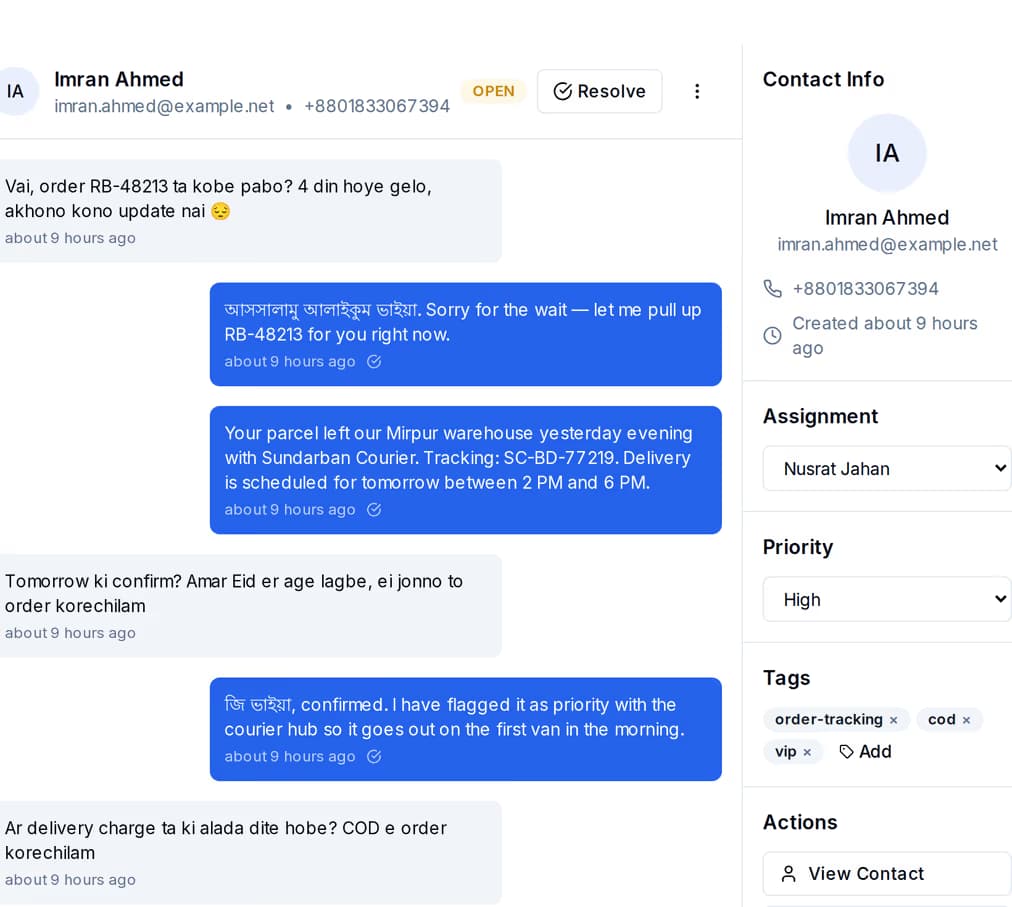
Auto-assign to teammates
Send new conversations round-robin or to whoever has the fewest open chats — or turn it off and assign by hand. Nothing gets missed or left unanswered.
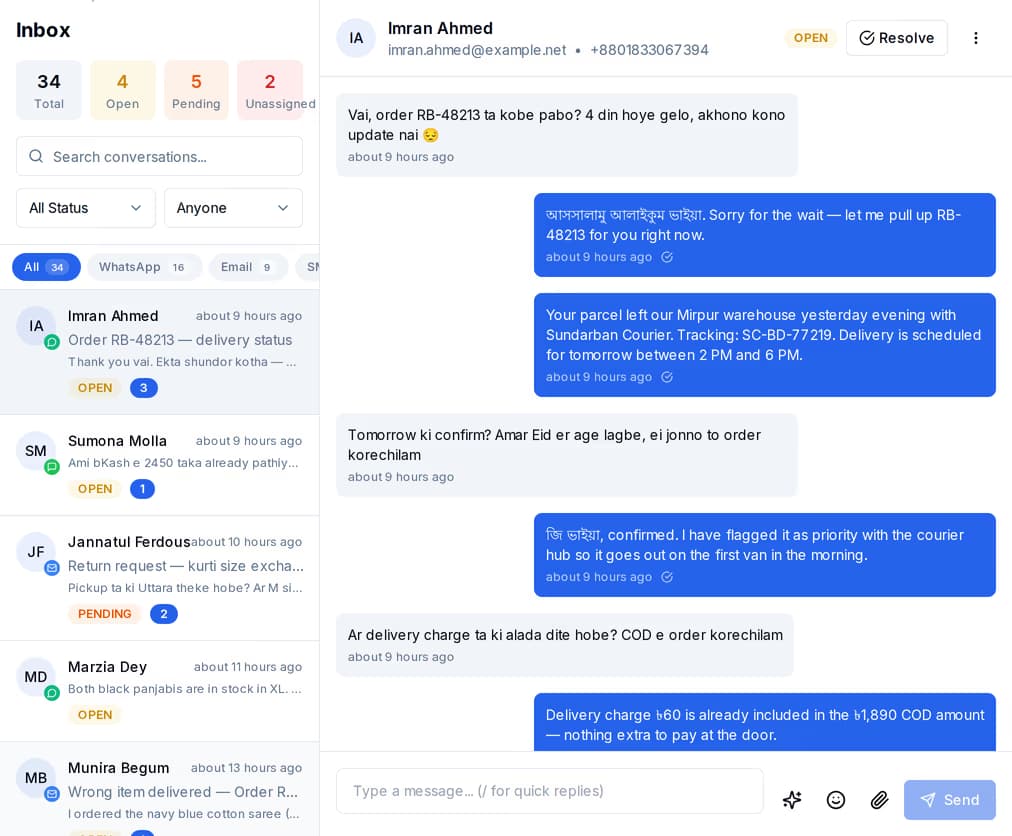
WhatsApp, SMS, email, Instagram, Messenger, Telegram, and live chat all land in one shared inbox your whole team can answer.

Messages from every channel you connect show up in one shared inbox. Type your reply once and it goes back out on the same channel the customer used — no copy-paste, no jumping between apps. Your customers’ details stay private.
Send new conversations round-robin or to whoever has the fewest open chats — or turn it off and assign by hand. Nothing gets missed or left unanswered.
Save quick replies you can drop in with a shortcut, add tags, and move chats through open, pending, resolved, and closed — so your team clears the queue without retyping.
New chats, replies, and assignments update live for the whole team, so two people never answer the same customer twice.
Connect Telegram, Facebook Messenger, and Instagram DM in a few clicks. Each one works both ways: messages come in, and your replies go straight back out on the same channel.
As new messages come in, QuickGrow picks up what the customer wants and how they feel, then suggests a reply you can send or tweak — so your team answers faster and gets the tone right.
Build WhatsApp and SMS chatbots by dragging steps onto a canvas — buttons, lists, images, quick questions, and a handoff to a real person — then let the bot handle the first reply while your team focuses on the tricky ones.
Drag steps onto a canvas, set up the "if this, then that" paths, and try the whole thing in a live chat preview before it goes out.
Connected to live WhatsApp and SMS, your bot sends real replies — and on SMS, buttons and lists become simple numbered menus.
A keyword or a "talk to a human" request passes the chat to an available teammate, so no one gets stuck with the bot.
Run every channel from one platform. Bring your own SMTP, SMS gateway, and WhatsApp number — or use ours.
See pricing →Product screens shown across this site are captured from the live application using a demo workspace. All names, contacts and figures in them are synthetic.