Three places to watch
A traveller writes on WhatsApp, the next one texts, the third emails. Each lands somewhere different, and whoever is on duty has to know all three. Threads get answered twice, or not at all.
Send the booking confirmation the moment the booking is made, chase visa papers on a schedule that stops once the papers are in, time departure reminders off the date on the traveller record — and answer every reply on WhatsApp, SMS and email in one shared inbox.
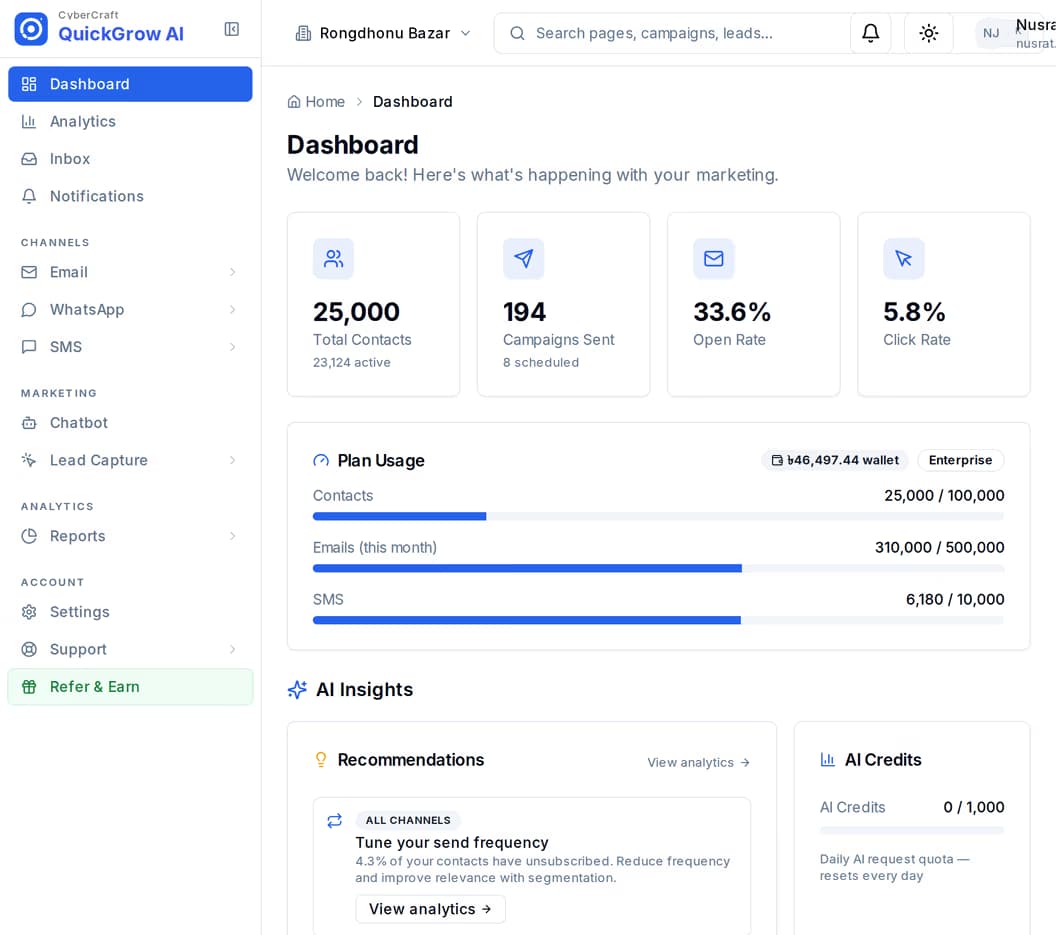
What costs your staff the day is everything after it: the passport copy that never arrives, the traveller who asks the same question on three channels, and the reminder nobody sent because the departure date was only in somebody's head.
A traveller writes on WhatsApp, the next one texts, the third emails. Each lands somewhere different, and whoever is on duty has to know all three. Threads get answered twice, or not at all.
Passport copy, photo, bank statement. Someone remembers to ask, forgets to ask again, and the file is short two days before the visa appointment.
Reporting time, terminal, what to carry. It is the same message every trip, and it goes out only when a member of staff happens to look at the list.
Each traveller is a contact. Keep the trip on it in fields you name yourself — departure date, booking reference, passport expiry — and tag the trip so you can find the group later.
One message to one traveller, on email, SMS or WhatsApp. Your own booking software can fire it through the API the moment the booking is taken, or a member of staff sends it from the inbox.
A journey starts off a date on the record, waits days between steps, and checks the record before each reminder — so a traveller who is already sorted is skipped.
Every reply, whatever channel it came in on, becomes a thread in the shared inbox with the traveller record beside it. Assign it, answer it, resolve it.
A confirmation is a single message to a single traveller, not a campaign. Write it once as a template with placeholders, then send it with that traveller's values filled in — the same request works for email, SMS or WhatsApp.
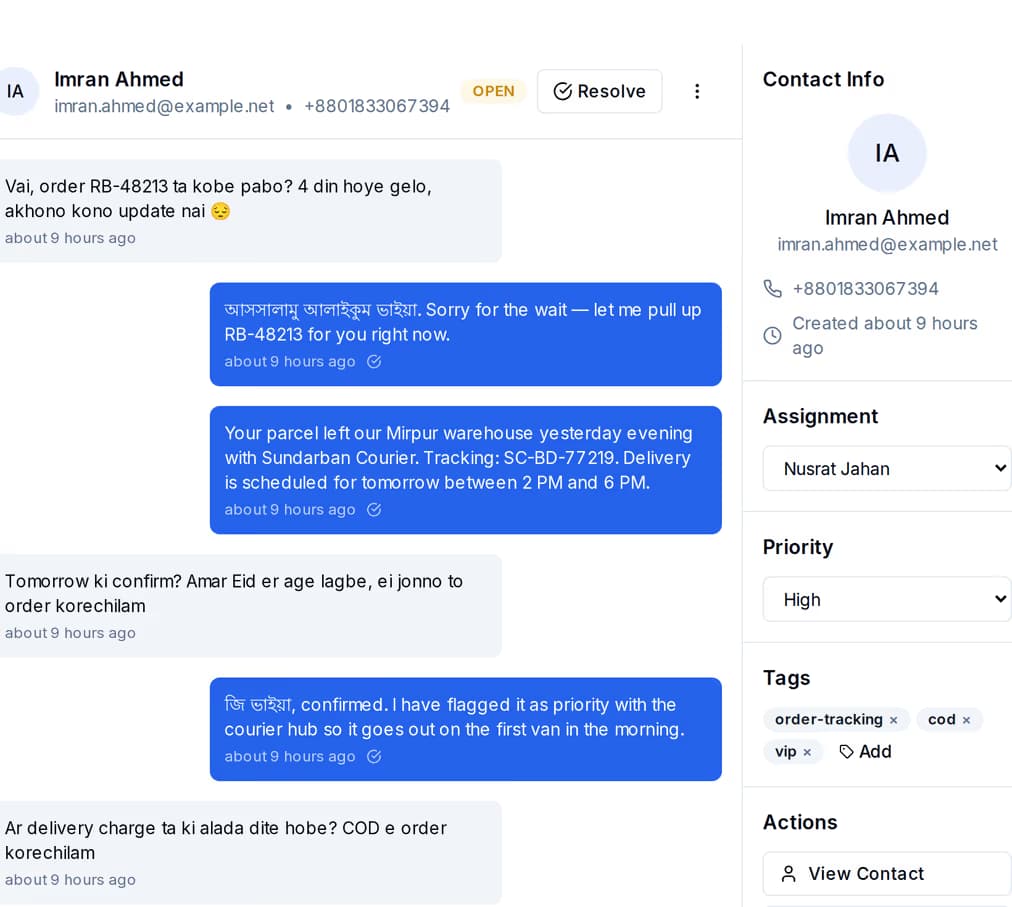
The confirmation carries the name, the reference and the dates you pass with it. It is recorded against the traveller, so the next person to open that record can see it went out and whether it was delivered.
A journey is a list of steps in order: send, wait, check something on the record, branch. Build the chase once and every traveller who needs it walks through the same steps.
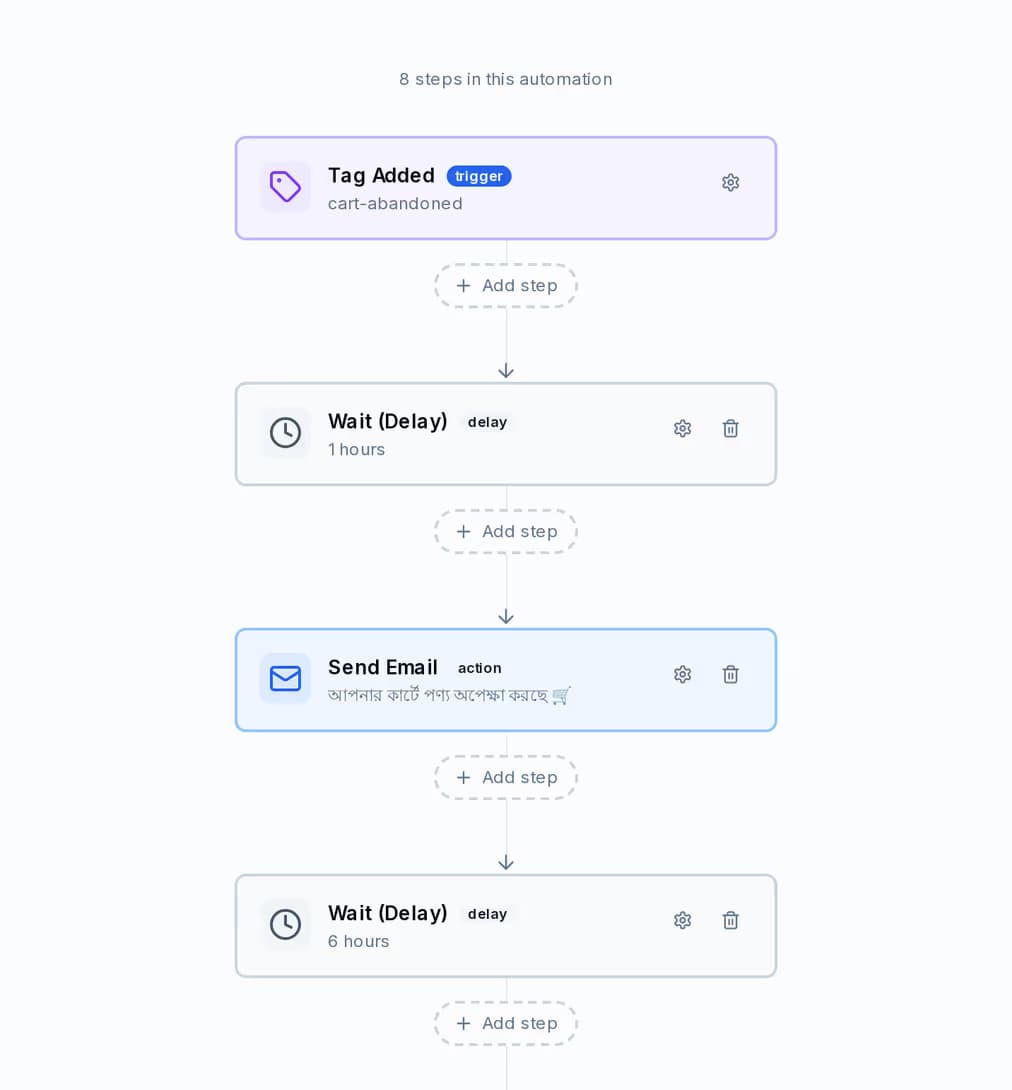
The journey pictured is a cart-recovery one, and a document chase has exactly the same shape: a first ask, a wait of a few days, a second ask on a different channel, and a check in between that decides whether the next one is sent at all.
The reply becomes a thread in the shared inbox, next to that traveller record — whichever channel they used, and whether or not the person who built the journey is the one who reads it.
Whoever handles the reply writes it on the traveller: visa file, received. By hand on the record, from your own booking software through the API, or by a step in the journey itself.
The step before each reminder reads that field. If it says received, the journey jumps past the reminders that are left and nothing further goes out. If it does not, the next ask sends on time.
Keep the departure date on the traveller record. QuickGrow looks every minute for the travellers whose date is the number of days away you set, and starts the journey for each of them once that day. Set the offset before the date or after it — the same trick sends a thank-you two days after they land.
| Channel | What it carries | |
|---|---|---|
| At booking | WhatsApp or email | Reference, dates, what is included, and the ticket attached if you send it by email |
| 21 days before | Which documents are still missing, and where to send them | |
| 3 days before | SMS | Reporting time, terminal, and what to carry |
| Departure day | SMS | The reporting time again and the number to call if anything goes wrong |
| 2 days after return | A thank-you, and an ask for a review or the next trip |
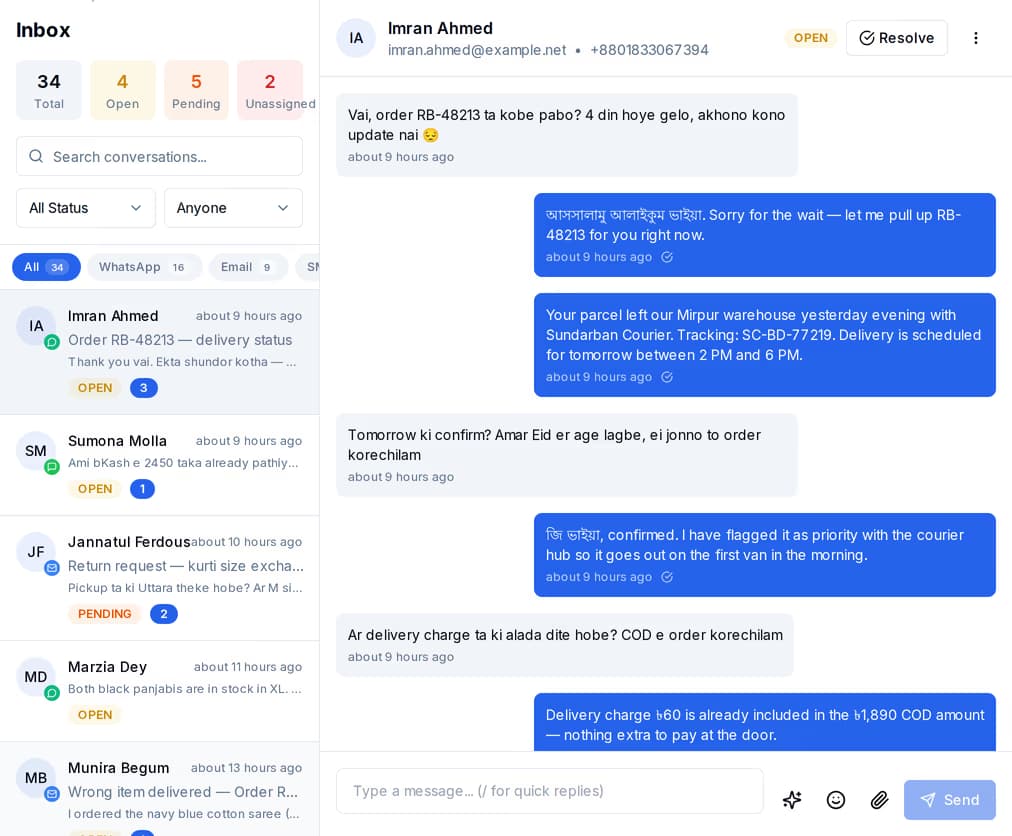
WhatsApp, SMS and email threads sit in the same list, with the traveller record beside the conversation — so the person answering can see the trip, the tags and what has already been sent without asking anyone.
Buy one channel or all three. Whichever you buy, the traveller records, the journeys and the inbox are the same — you are not running three separate tools.
| SMS | |||
|---|---|---|---|
| Best for | Confirmations, document chasing, back-and-forth questions | Departure day and anything that must be read on a basic handset | Itineraries, invoices, and the ticket itself |
| Can carry a file | In a one-to-one reply, by link | No | Yes — up to 10 files, 7 MB in total |
| What you need from the traveller | A number on WhatsApp | A mobile number | An email address |
| The sender shows as | Your business profile on WhatsApp | Your agency name with Masking SMS, a shared number without it | Your own address, from your mail server or ours |
| Starting the conversation | An approved template outside the 24-hour window | Any message you write | Any message you write |
| Sold as | Volume per category: Utility, Authentication and Marketing | Masking and non-masking, each on its own volume slider | Included volume, or bring your own mail server |
| Replies land in the shared inbox | Yes | Yes | Yes |
Two things: a platform fee, and the messages you send. Buying managed volume waives part of the platform fee, and buying enough Email and SMS volume waives it entirely. Already have your own mail server or SMS account? Bring it and pay the platform fee only. A longer billing term discounts both, on separate ladders.
On email, yes — up to 10 files and 7 MB in total, so a ticket, a voucher and an itinerary can all travel with the message. SMS and WhatsApp do not take a file on an automated send: put the booking details in the message itself with a link to the document. In a one-to-one WhatsApp reply from the shared inbox you can send a file by its link.
The reply lands in the shared inbox and someone marks it on the traveller record — a field such as visa file, received — by hand, from your booking software through the API, or by a step in the journey. Each reminder is preceded by a check on that field, and when it is set the journey jumps past the reminders that are left. Nothing further goes out.
From a field you keep on the traveller record. Add it by hand, bring it in with the spreadsheet upload, or have your booking software write it through the API. A journey set to a number of days before that date starts on its own for every traveller whose date has come round, once per traveller per day.
Put the departure dates on the records, build the reminder once, and let it run for every trip after that.
 CyberCraft BangladeshQuickGrow AI
Run every channel from one platform. Bring your own SMTP, SMS gateway, and WhatsApp number — or use ours.
See pricing →