A personal WhatsApp
Orders, complaints and photos all land on one handset — usually yours. When you step out, nobody else can answer, and last month’s conversation is gone the day the phone is.
Email, SMS and WhatsApp in one place — one contact list, one shared inbox your whole team answers from, and follow-ups that send themselves. No website and no tech team needed.
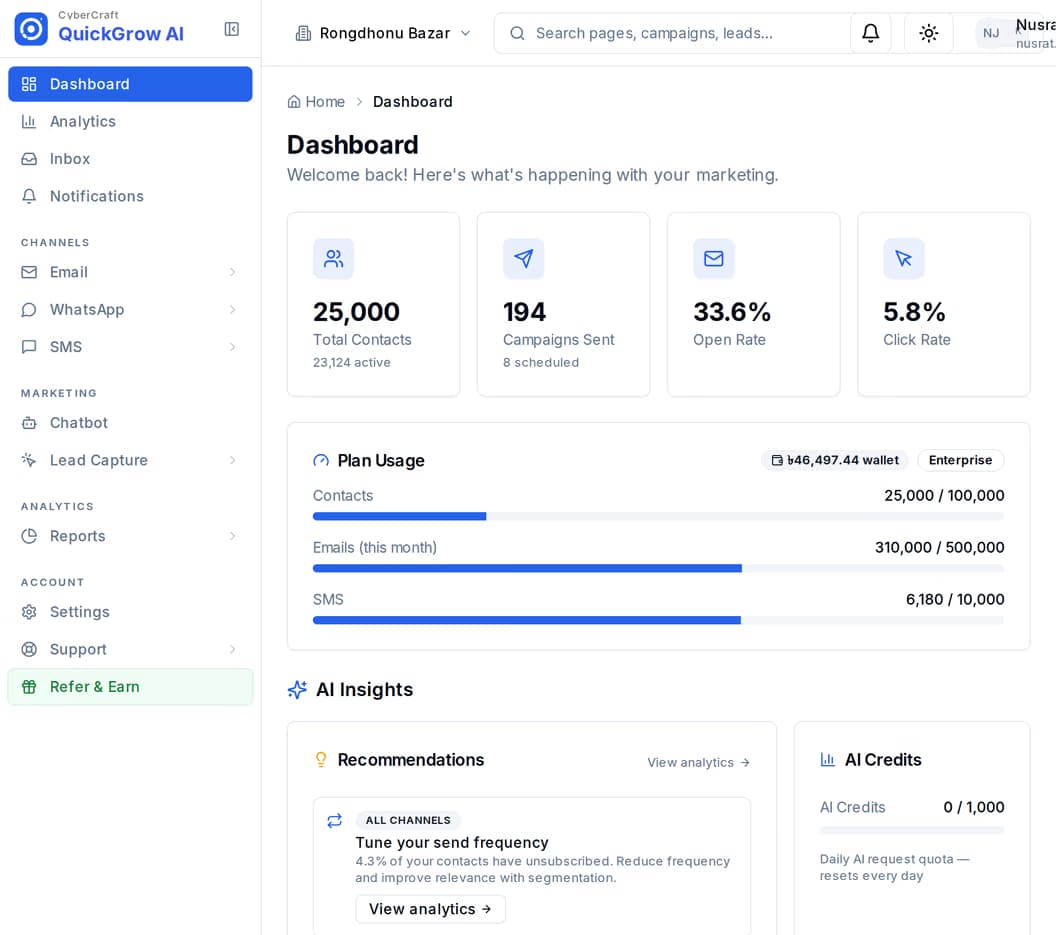
Ask most business owners here how they talk to customers and the answer comes in three pieces, none of which know about the other two.
Orders, complaints and photos all land on one handset — usually yours. When you step out, nobody else can answer, and last month’s conversation is gone the day the phone is.
Its own contact list, its own credit balance, its own report screen. Nothing you send from it ever appears next to anything else you sent.
It holds half your contacts and none of your recent ones, and it cannot tell you whether the person who opened your newsletter is the same person who messaged you on WhatsApp yesterday.
You do not have to buy all three. Start with the one your customers actually read, and turn another on when you need it — the contact list and the inbox stay the same.
| SMS | |||
|---|---|---|---|
| Best for | Newsletters, offers and receipts | Anything that has to be read now | Two-way chats and order updates |
| Comes from | Your own domain | Your brand name, once approved | Your own business number |
| How you buy it | Managed volume on a slider, or your own SMTP | Masking and Non-Masking, sold separately | Your own number — Meta bills you directly, zero markup |
Cheapest way to try WhatsApp: connect your own number for free. You pay Meta directly, at Meta's own rate — QuickGrow adds zero markup.
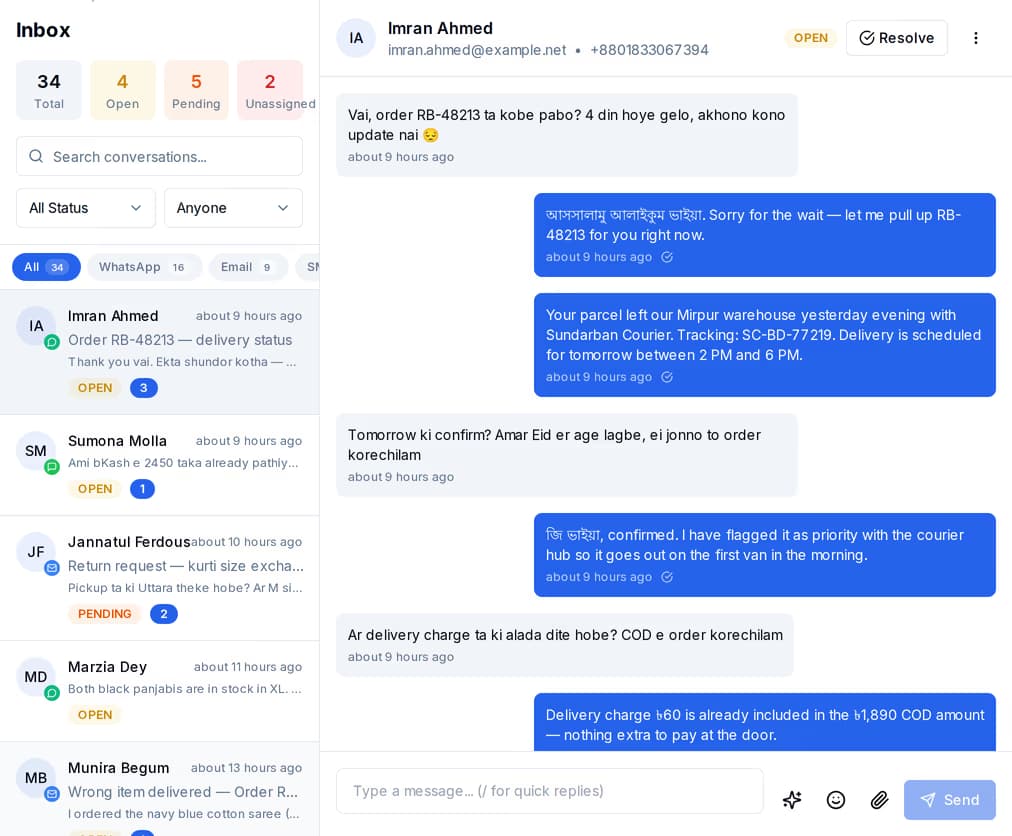
Facebook, Instagram, Telegram and live chat connect straight into the same list as your email, SMS and WhatsApp — seven channels, one inbox. Your whole team works from it, and every new conversation lands on an agent automatically or waits to be picked up, whichever you set.
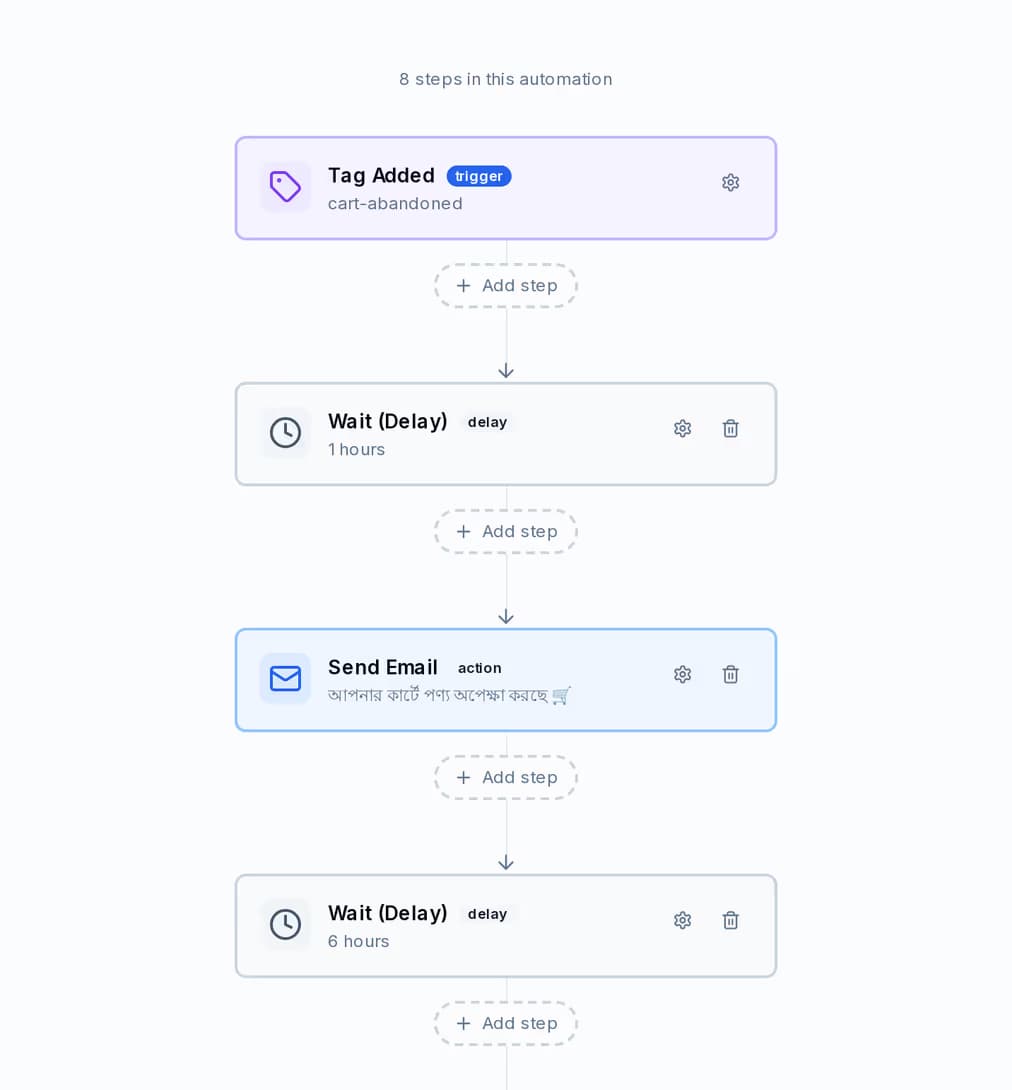
Point an automation at a date on the customer’s record — appointment, renewal, instalment due, birthday — say how many days before or after, and it sends. It is checked every minute and will not message the same contact twice in a day. Other journeys start when a contact is added, when a form is submitted, when a campaign is opened or clicked, or when you tag someone yourself.
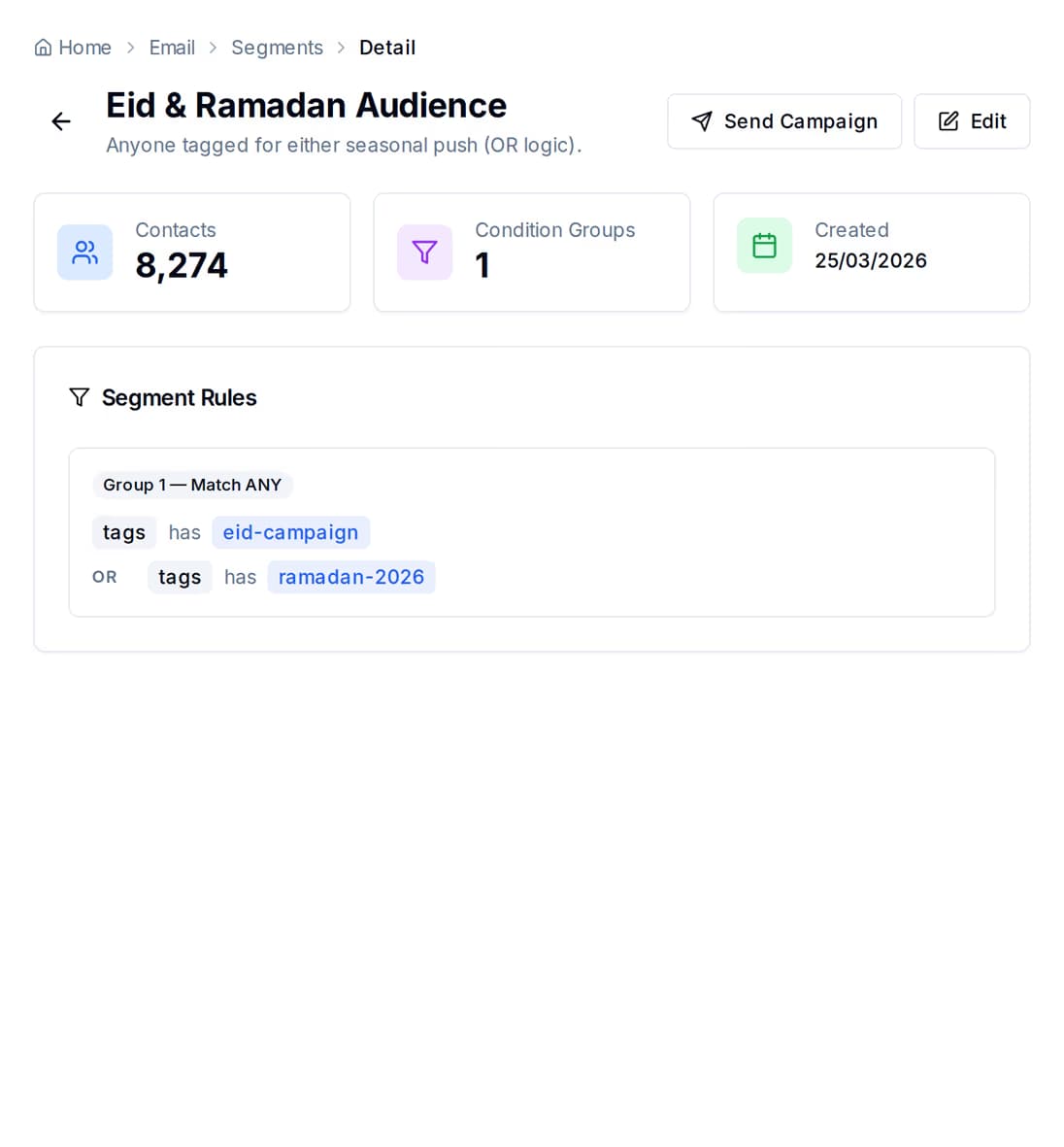
Build a group from rules — status, where the contact came from, tags, how engaged they are, when they last replied, when they were added — and the matching count updates as you build it. Anything you track yourself becomes a tag, and tags are rules too, so the groups that matter to your business are yours to define.
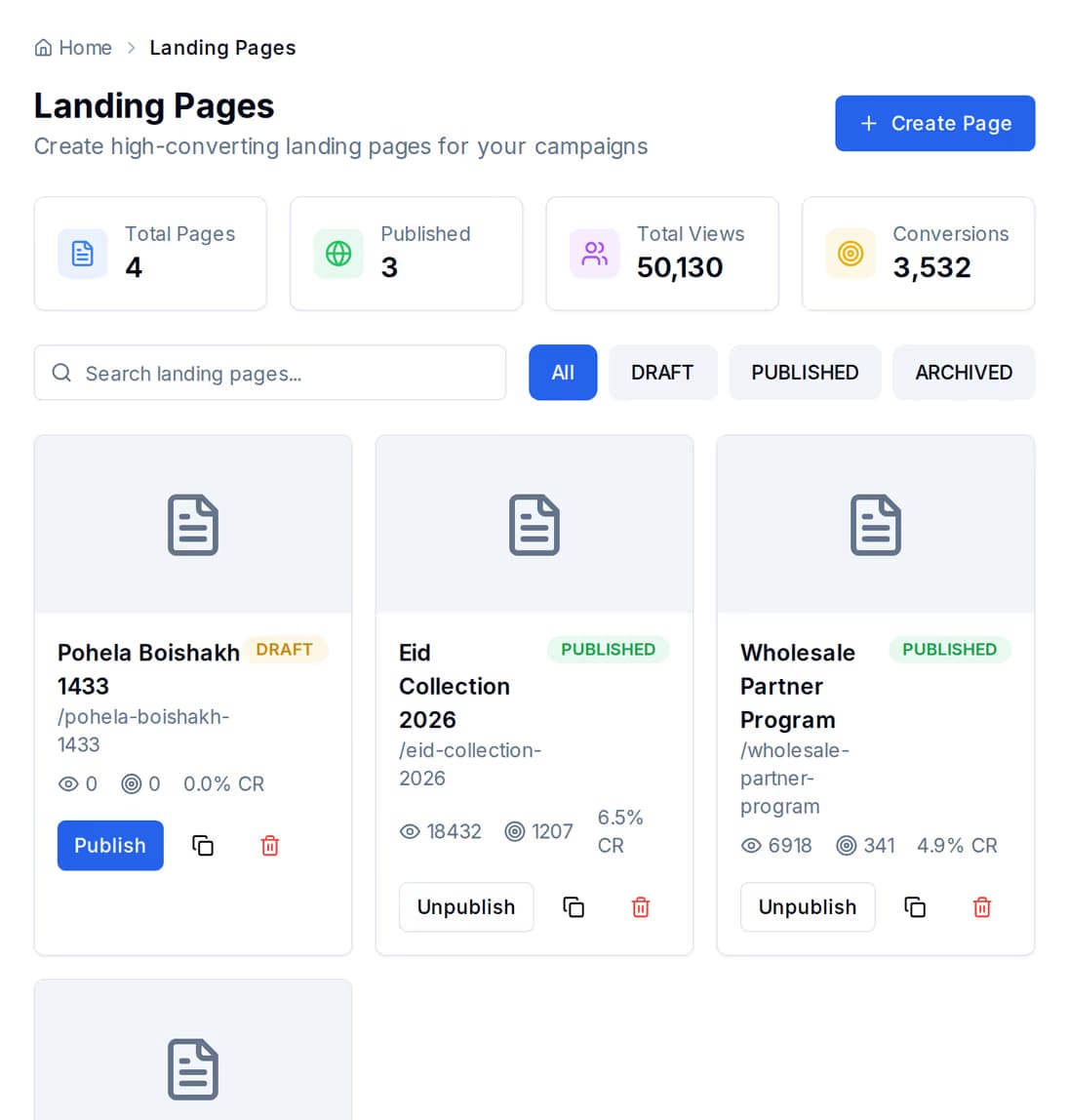
Publish a landing page, build a sign-up form, or drop a one-line script onto a website you already have — every submission is stored with its answers, ready to be added to your list. Run an A/B test on a page, end it and pick the winner, and the winning version becomes the live page. Not a variant sitting in a folder: the page your visitors see.
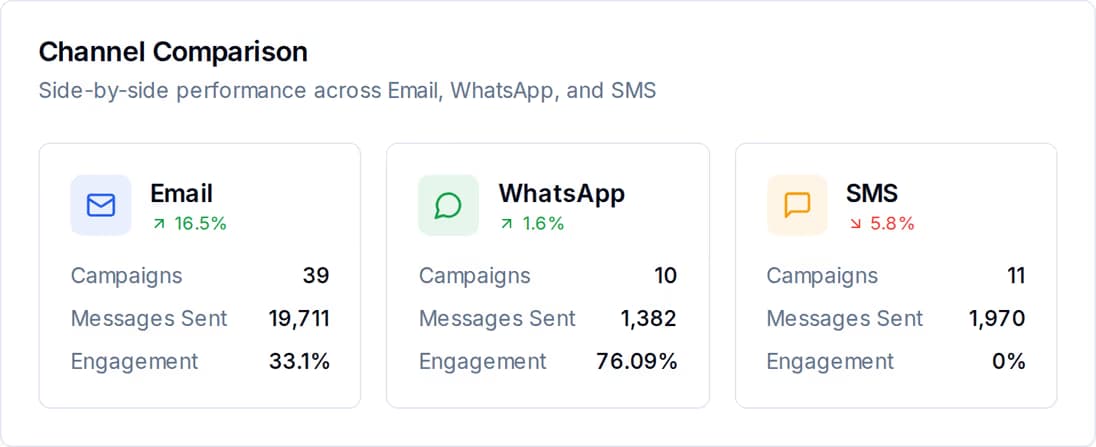
Because every message goes out of the same place, they can finally be measured against each other. See what email, SMS and WhatsApp each carried, which campaign was opened, where people dropped out of the funnel, and which hours of the week your list actually reads.
All of this sits behind the same contact list, in the same account, on whichever channels you turned on.
Loyalty points and tiers, social posting and template libraries come with it too — see every feature.
There are two moving parts — a platform fee and the volume you send — and they push against each other on purpose.
It covers the platform itself: the inbox, automations, segments, pages, forms, reports and the API — whichever channels you have turned on.
Buy your sending volume from us and part of the platform fee comes off. Buy enough Email and SMS volume at a high enough tier and it is waived entirely.
Connect your own SMTP, your own SMS provider and your own WhatsApp number, and the platform fee is the whole bill. A longer billing term discounts the fee and the volume, on separate ladders.
From ৳5,000 a month with managed volume
Pick the channels you actually send on and the platform fee comes down as you add them. A longer billing term discounts the fee and the volume on separate ladders, so the builder works out the real figure for the combination you choose, in taka.
No. Import your contacts from a spreadsheet or collect them with a hosted landing page, then message them on email, SMS or WhatsApp — all inside QuickGrow. If you do have a website, one line of script adds a form or a popup to it.
That is Masking SMS, and yes — with one caveat worth knowing up front. A sender name is 1 to 11 letters or digits and goes through an approval application; until it is approved your messages go out from the default sender. Non-Masking SMS sends from a numeric sender and needs no application, which is why the two have separate volume sliders.
By Meta, directly. Utility for order and account updates, Authentication for login codes, and Marketing for promotions each have their own published rate, and Meta charges your own payment method for anything outside a free window. QuickGrow adds no markup and doesn't hold a wallet for it — if Meta will send it, so will we.
Delivery failures, team roles and mixing channels are answered on the FAQ.
Create an account, bring your contacts in, and send your first campaign on whichever channel your customers actually read. The other two are waiting when you want them.
 CyberCraft BangladeshQuickGrow AI
Run every channel from one platform. Bring your own SMTP, SMS gateway, and WhatsApp number — or use ours.
See pricing →