The same five questions, all day
Are you open. Do you deliver to Chattogram. Where is my order. How much for ten pieces. Someone on your team types those answers out again every single morning, and every retype is a chance to get a digit wrong.
Build a WhatsApp and SMS chatbot by dragging blocks onto a canvas: send a message, offer buttons or a menu, ask a question and keep the answer, branch on what you were told, call your own system — and put a handoff block exactly where the bot should stop and a person should take over.
Look at a week of your WhatsApp messages and the same handful of questions is most of the pile. They are worth answering — they are just not worth a person typing every time, especially at half past eleven at night.
Are you open. Do you deliver to Chattogram. Where is my order. How much for ten pieces. Someone on your team types those answers out again every single morning, and every retype is a chance to get a digit wrong.
A customer writes at eleven at night because that is when they had a minute. Nobody sees it until nine the next morning, and by then they have asked the shop down the road as well.
The worst automated chat is the one with no exit — the customer types agent, types human, types anything, and the menu comes back around again. That is the part most people mean when they say they hate chatbots.
A flow is blocks on a canvas with lines between them. There is nothing to write in code and nothing to deploy — you draw the conversation you already have every day, then let it run.
Drag a block from the side onto the canvas, or click it to drop one in, then join them up with a line. Click any block to write what it says. Up to a hundred blocks in one flow, which is far more than most shops ever need.
Give the flow a keyword — price, delivery, order — and it starts when that word appears anywhere in the message, in any case. Or make it the default flow, and it answers whatever arrives.
Type a message into the test box and see which flow it matches and what the bot opens with. A flow that is broken will not go live: you get a plain list of what to fix first.
Each bot keeps its own count of conversations started, messages handled, conversations finished and conversations passed to a person — and works out a completion rate and a handoff rate from them.
You are not learning a language. Each block does one thing, you write what it says, and the line you draw out of it decides what comes next.
A refund. A complaint. A price nobody has agreed yet. Put the handoff block on that branch and the bot goes quiet there instead of sending the menu round again.
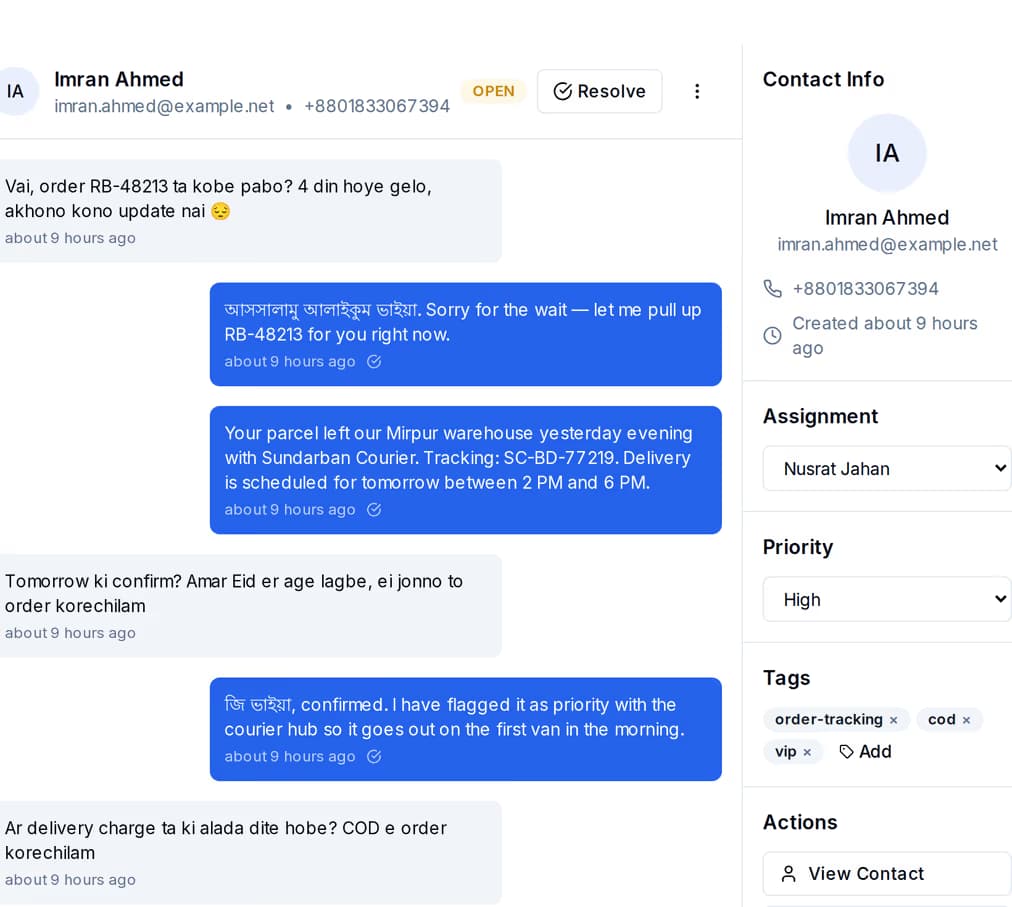
The handoff block ends the automated conversation at the point you chose. The bot says the one line you wrote on it and stops. Nothing has to be copied anywhere, because every WhatsApp and SMS message the customer sent was filed as a conversation in the shared inbox before the bot ever looked at it.
WhatsApp gives you buttons and menus to tap. SMS has no such thing — so the same flow arrives as a numbered list, and a reply of 2 is read as the second choice. You do not build it twice.
| SMS | ||
|---|---|---|
| Buttons | Up to three buttons to tap, under the message | The same choices arrive numbered in the text — they reply 2 |
| Menu | A tappable menu, up to ten items across your headings | The items arrive numbered in the message body |
| Photo or file | Sent as media, with your caption | The caption and the link, as text |
| How a reply is matched | A tap, the exact words on the button, or the number | The exact words on the button, or the number |
| What starts a flow | A keyword in the message, or your default flow | A keyword in the message, or your default flow |
| Handoff to a person | Yes | Yes |
WhatsApp and SMS. Those are the two channels where a customer writes a short message and expects a short answer back, and they are the two the flow engine sends on. Email is not answered by the bot — email replies land in the shared inbox for a person to pick up.
Every active flow on every active bot is checked in the order it was created, and the first one that matches wins. A keyword flow matches when its word appears anywhere in the message, upper or lower case, so "how much is delivery" matches the keyword delivery. A default flow matches anything, which makes it the right one to put last.
It asks again rather than guessing. Buttons and menus are sent back out, so the choices are on screen a second time. A question you asked can carry its own line for a wrong answer — "That does not look like a phone number, try again with the 01 at the front." Nothing about the conversation is lost while that happens.
Yes. Type a message into the test box on the bot and you are told which flow it matched, by name, and what the bot would open with. Separately, a flow that does not hold together cannot be switched on at all — an empty message, a condition with only one way out of it, a branch pointing at a button that is no longer there, or more than a hundred blocks each come back as a line telling you what to fix.
Twenty-four hours from the last thing the customer said, and every new message pushes that out another twenty-four. Inside that window they can walk away mid-flow, come back, and carry on from the block they stopped at. After it, the next message starts a flow from the top. Either way the messages themselves stay in the shared inbox.
No, and that is most of the point of having one. It replies whenever the message arrives, at eleven at night and on a Friday, because the customer is waiting right then. What it will not do is pretend to be a person — when a question needs one, the handoff block stops the bot there and the conversation sits in the shared inbox until someone opens it in the morning.
Draw a flow in an afternoon, test it with a message you type yourself, and put a handoff block wherever it should stop. The builder comes with the platform.
 CyberCraft BangladeshQuickGrow AI
Run every channel from one platform. Bring your own SMTP, SMS gateway, and WhatsApp number — or use ours.
See pricing →