Whoever answers first gets the site visit
Someone who fills in your form on a Friday evening has usually messaged three other projects by Saturday. If the enquiry sits in a spreadsheet until Sunday, the visit is already booked somewhere else.
Every enquiry — from a project page, a form on your own site, or an ad that opens a WhatsApp chat — alerts your whole team, lands in one shared inbox with an owner against it, and stays on a follow-up that runs for as long as the purchase takes.
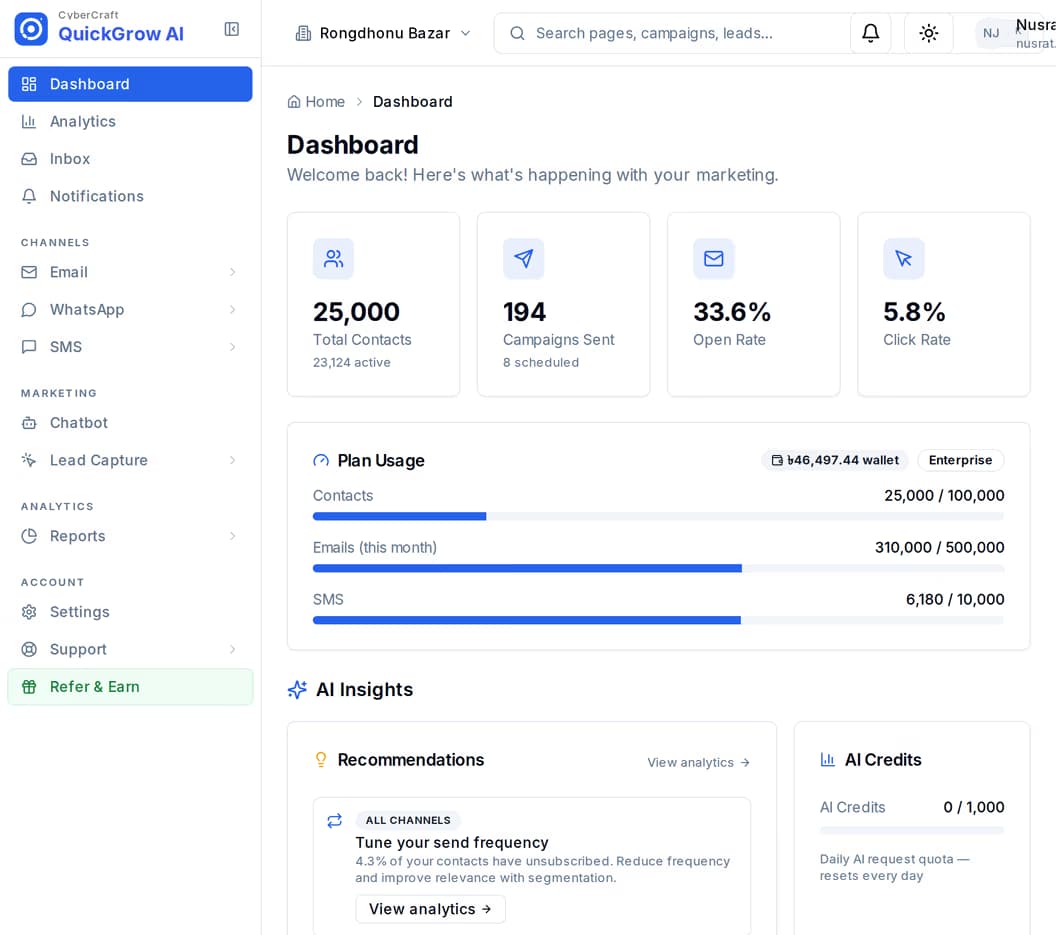
An enquiry for an apartment and an enquiry for a shirt look identical on the day they arrive. The difference shows up in month three, when the buyer is still deciding, the agent who took the call has moved on to newer names, and nobody has rung.
Someone who fills in your form on a Friday evening has usually messaged three other projects by Saturday. If the enquiry sits in a spreadsheet until Sunday, the visit is already booked somewhere else.
Between the first call and the booking money there is a site visit, a family discussion and usually a loan. A follow-up that depends on someone remembering is a follow-up that stops after the second call.
When an agent is on leave, changes team or leaves the company, the buyer they were nursing goes quiet. The colleague who picks it up starts by asking questions the buyer already answered twice.
Publish a page for the project on its own address, embed the enquiry form on your existing site with one line of code, or run an ad that opens a WhatsApp chat. All three feed the same account.
A new enquiry raises a high-priority alert to your whole team — in the app, as a phone notification and by email. An inbound WhatsApp, SMS or email raises one too, linking straight to the thread.
Open the conversation in the shared inbox, assign it to an agent, set its priority and tag it with the project. From then on it is clear whose it is, and the buyer record sits beside it.
Build the sequence once: a WhatsApp message now, a reminder days after the site visit, a check-in weeks later. It runs per buyer, with real waits between the steps.
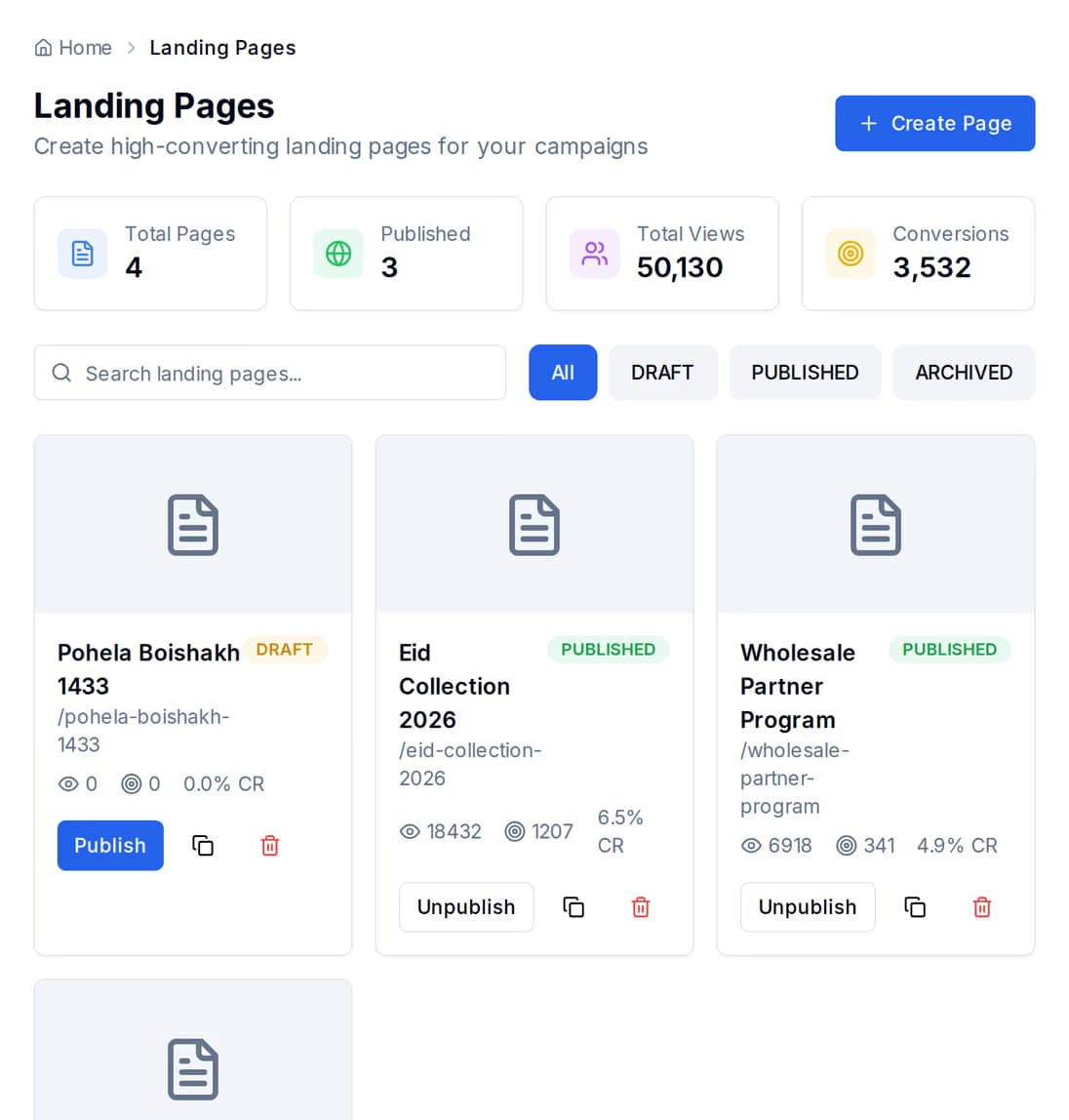
Build a page for each project and publish it under a short name you choose. Views and conversions are counted on the page itself, so you can see which tower is pulling and which one is not.
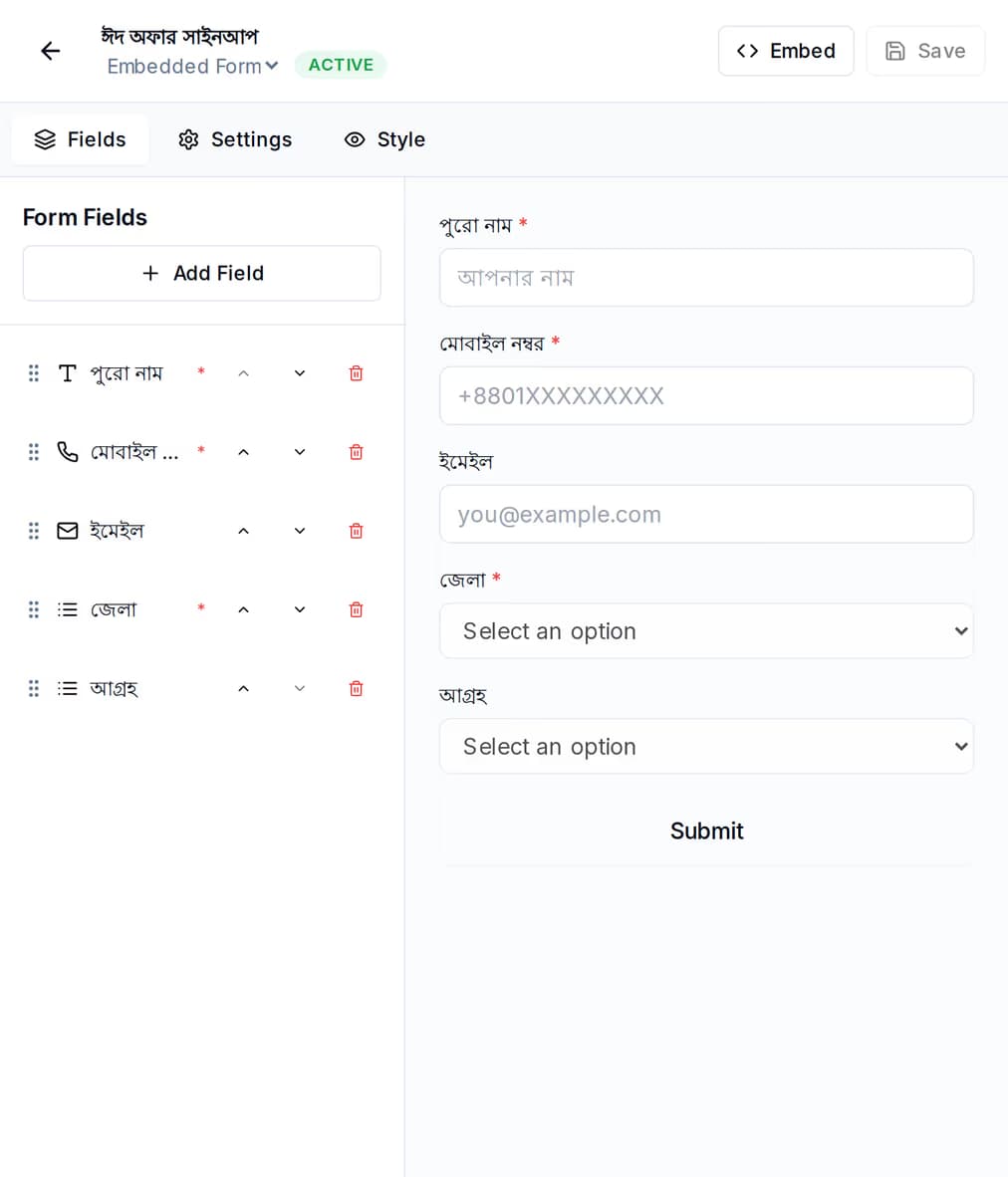
Build the enquiry form once — name, mobile number, which project, budget, when they want to move in — and drop it on the site you already have with one line of code. It can sit inline in the page, arrive as a popup, or slide in from the side.
Run an ad that starts a WhatsApp conversation instead of sending the buyer to a page. QuickGrow records which ad they came from, including the headline and the creative they tapped.
Every one of those chats is recorded against the ad that produced it, and each ad carries a running count of the conversations it started — so the tower you are pushing this month is judged on replies, not impressions.
Run a popup on your own site after a wait you set, and read back the impressions, the conversions and the rate each one earned, so a popup that annoys people can be switched off on evidence.
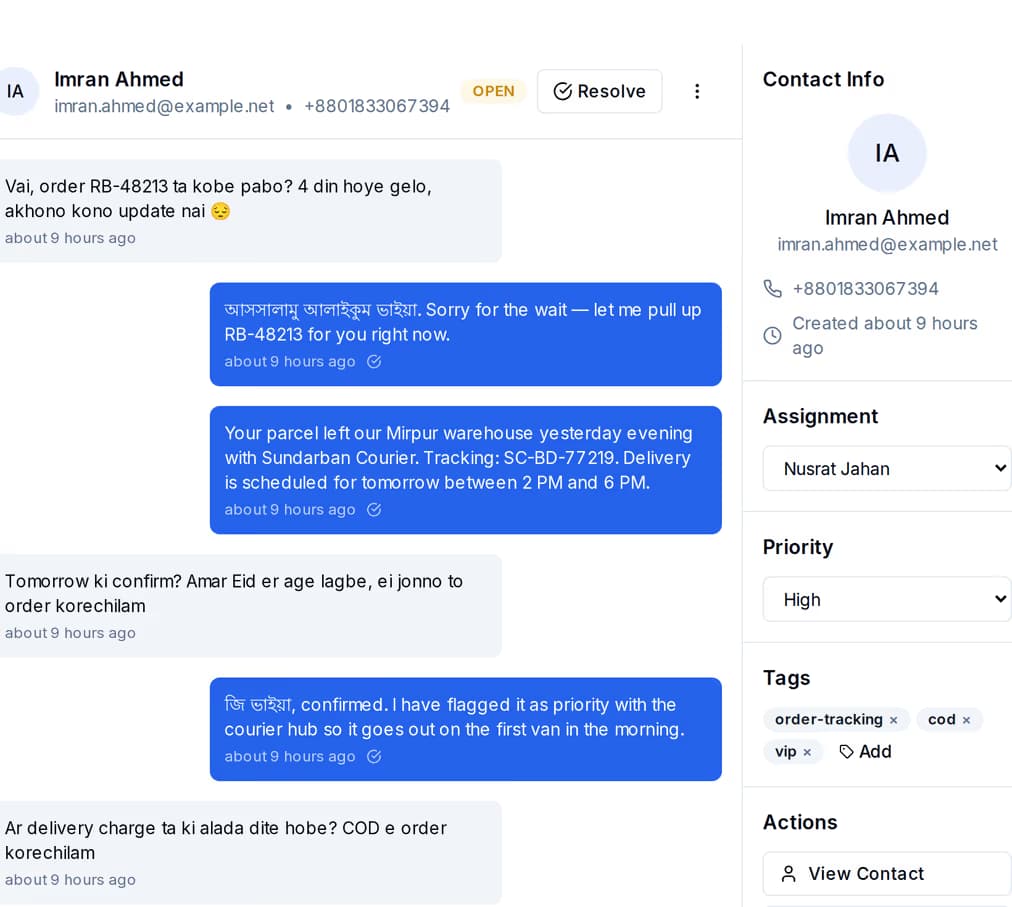
WhatsApp, SMS and email conversations sit in one list. Beside the open thread is the buyer record — the tags, the status and the agent it is assigned to — so whoever opens it can see where things stand without asking around the office.
A journey is a sequence you build once on a canvas — a message, a wait, a condition, another message. It runs separately for each buyer from the moment it is triggered, and the waits are real: minutes, hours, days or weeks.
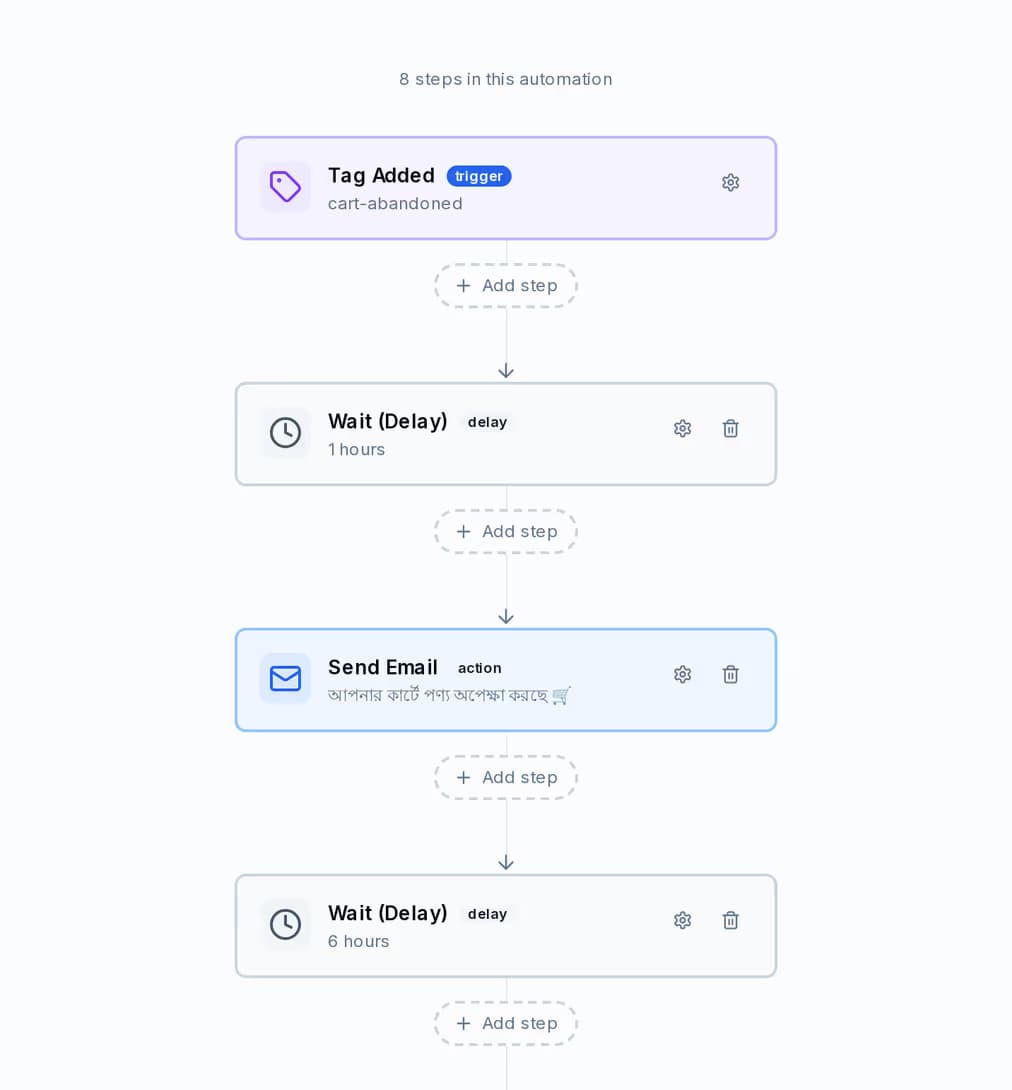
Trigger a journey when a tag is added, when a buyer record is created or updated, or when someone opens or clicks a campaign email. Then let it walk them through the months while your agents work on the enquiries that came in today.
| A spreadsheet and three phones | QuickGrow | |
|---|---|---|
| An enquiry arrives at 9pm | Seen next morning, if the right person opens the sheet | A high-priority alert to the whole team, in the app, on the phone and by email |
| Who is following this buyer up | Whoever remembers the name | The thread is assigned, and the assignee is on the record |
| The agent goes on leave | The history is on their phone | Reassign the thread — every message on it, and every tag, goes with it |
| A buyer asks to be called in three months | A note nobody opens again | A date in your own field, and a message that goes out against it |
| Which project is actually pulling | A guess at the monthly meeting | Views and conversions per project page, and clicks and replies per ad |
| Replies on WhatsApp, SMS and email | Three apps and three people | One inbox, and the whole history sitting against one buyer record |
No — QuickGrow does not have a separate deals board. What it has is the buyer record: tags, fields of your own, the full message history on every channel, and the shared inbox on top. Most teams use a tag for the stage — enquired, visited, negotiating, booked — because everything else already works on tags: groups recount themselves, journeys trigger on a tag being added, and campaigns send to the group.
A submission on a form, a popup or a project page raises a high-priority alert to your whole team — in the app, as a phone notification and by email. An inbound WhatsApp, SMS or email raises an alert too, with a link straight to the conversation. Nobody has to sit refreshing a page.
Reassign the conversation. The new owner gets a notification linking to it and opens the whole history — every message on every channel, the priority, the tags and the buyer record beside the thread. Nothing has to be forwarded, and nothing is stuck on a handset.
Publish a page for the project you are selling now, put the enquiry form on your site, and set the first follow-up running today.
 CyberCraft BangladeshQuickGrow AI
Run every channel from one platform. Bring your own SMTP, SMS gateway, and WhatsApp number — or use ours.
See pricing →