Fenced off where the data lives
The rule sits with the stored data rather than in the code that reads it, so it applies to every screen, every background job and every report in the same way. There is no application setting that turns it off.
Each brand’s data is fenced off by the database itself, contact details are stored encrypted, and every change is written to a record that cannot be quietly edited. Below is what is enforced, where — and what we will not claim.
This is not a filter written in application code that a bug could skip. Every table holding your data refuses rows that do not belong to the account making the request, and a request that arrives with no account attached reads nothing at all. The backend test suite carries an isolation test that tries to read across two accounts; if it ever succeeds, the build fails.
The rule sits with the stored data rather than in the code that reads it, so it applies to every screen, every background job and every report in the same way. There is no application setting that turns it off.
Email addresses, phone numbers and names are encrypted where they are stored, with a separate lookup value so search and duplicate-checking still work. Mail-server passwords and gateway keys are encrypted too, and are never sent back to a browser once saved.
A branch, a subsidiary or a client you manage gets its own account, with its own contacts, templates, team and billing. The separation between two of your own brands is the same separation as between you and a stranger.
Three separate records are kept, and none of them depends on somebody remembering to write a note.
Custom roles are assembled from a fixed list of permissions, so the access a person holds can be described to an auditor in the same words the product uses.
Viewing the inbox, replying in it, sending a campaign and exporting contacts are four different permissions. A support agent can be given the inbox without ever being able to export your list or broadcast to it.
A person can only create or assign a role whose permissions are a subset of what they already hold, and cannot cut down their own role to work around it. The check runs on the request, not in the training material.
An authenticator app with one-time recovery codes, a lockout after repeated failed attempts, and a password reset that ends every open session. Each person can list their own active sessions with device and location, end any of them, and read their own login history. A first sign-in from a new device raises an alert.
Freezing the account and revoking every API key sit behind a dedicated permission rather than the general settings permission, so a team member who can edit settings cannot pull the handbrake.
A message that breaks one of these does not go out. The figures are platform-wide defaults — not settings you turn up — and we would rather say so here than let your team discover it during an audit.
| SMS | |||
|---|---|---|---|
| Quiet hours blocked at send (21:00–08:00 local) | No | Yes | Yes |
| Most messages to one contact per day | — | 3 | 5 |
| Most messages to one contact per week | — | 10 | 15 |
| Minimum gap between two messages | — | 60 min | 30 min |
| Inbound opt-out replies captured for review | No | Yes | No |
| Content checked before it goes out | Yes | Yes | Yes |
| Encrypted copy kept of what was sent | Yes | Yes | Yes |
Some organisations must keep the contract with the mail provider or the mobile operator in their own name. That is supported, and it changes what you pay rather than what you get.
| Your own infrastructure | Managed volume | |
|---|---|---|
| Who holds the sending account | Your mail server and your gateway contract | Ours |
| Where the credentials live | Encrypted in your account, never shown again after saving | With us |
| Sender domain set-up | You add the records, we check them | Same records, same check |
| Branded SMS sender name | Submitted as an approval application; until it clears, sends fall back to the default sender | Same application, same fallback |
| What you pay | The platform fee only | Volume waives part of the platform fee; enough Email and SMS volume waives it entirely |
| Audit record, delivery reporting, per-contact rules | Yes | Yes |
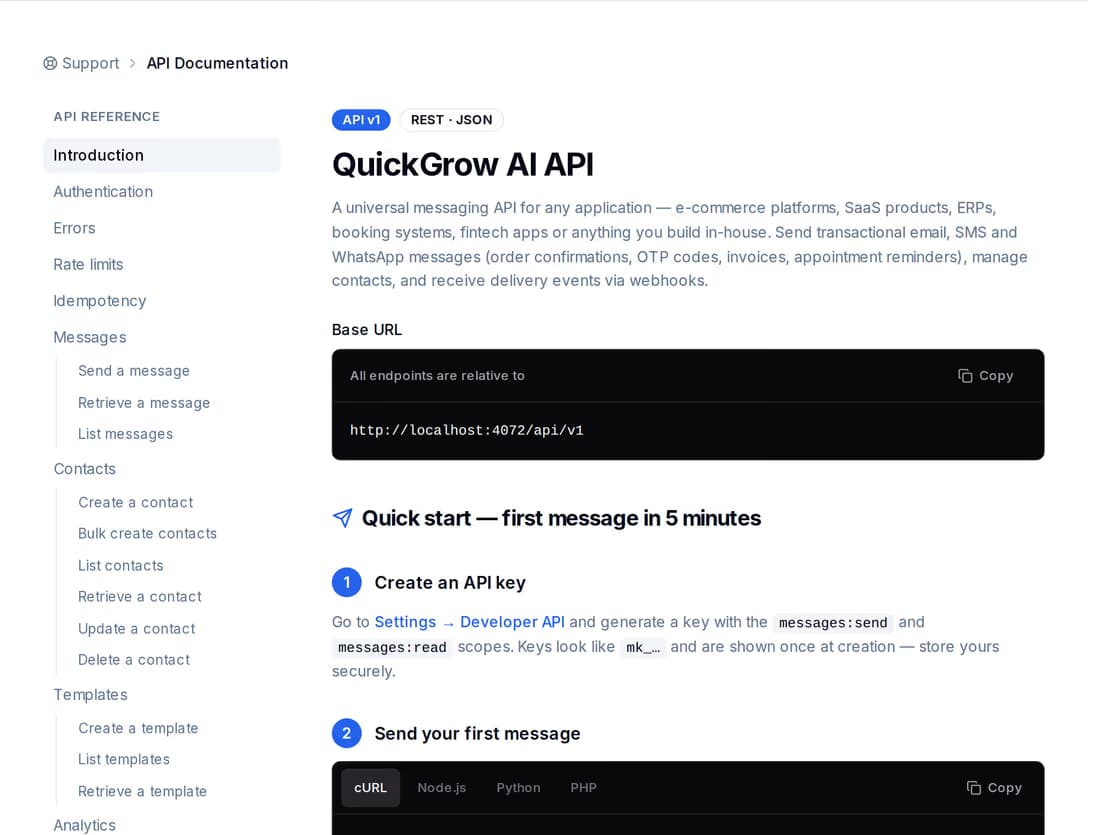
Your own applications send through QuickGrow and read back what happened, using keys your security team can narrow and rotate without opening a ticket with us.
Four things a careful buyer will find anyway. Better here than three weeks into a procurement.
QuickGrow has not been audited or certified by an outside body, and we will not imply that it has. What we can give your reviewer is the list above — what is enforced, and where — plus an account to test it in. If anything here does not match what you find, tell us and we will correct the page.
Message records are kept for a year, contact activity for six months and automation runs for three, cleared by a nightly job. Audit entries are excluded and are not deleted on a timer. These periods are platform-wide; there is no per-account control for them.
When a customer asks to be forgotten, their contact record, messages, activity history and stored permissions are deleted together in one operation, and the deletion is itself written to the audit trail. Today you raise that with us; there is no self-serve control for it in the app.
To reproduce a problem, our staff can open a support session against your account. Every one of those is written to the same audit trail, marked as a support session and naming the staff member — visible to you rather than invisible to you.
No. QuickGrow holds no third-party security certification, and any page that suggests otherwise is wrong. What we offer instead is a precise description of what the product enforces, and an account your team can test those claims in before you sign anything.
No. The separation is applied by the database that stores the rows, not by application code, so it holds for every screen, background job and report alike. A request carrying no account reads nothing. There is an automated isolation test in the backend suite that attempts a cross-account read; the build fails if it ever gets a row back.
Each entry is tied to the entry before it, so an edited entry, a removed one, or one inserted later stops the sequence lining up when it is re-checked. Audit entries are also excluded from the nightly clean-up, so nothing drops out of the record on a schedule.
We would rather answer it line by line than talk around it. If something on this page does not match what your team finds in the product, tell us and the page changes.
 CyberCraft BangladeshQuickGrow AI
Run every channel from one platform. Bring your own SMTP, SMS gateway, and WhatsApp number — or use ours.
See pricing →