Campaigns to a whole segment
Write it once, pick who gets it, and send now or schedule it. A campaign moves through draft, scheduled, sending, paused and completed — and you can pause a send half-way, resume it, or cancel it outright.
Bulk campaigns and one-off transactional mail from one place — sent through your own email service or ours, with opens, clicks, bounces and unsubscribes handled for you.
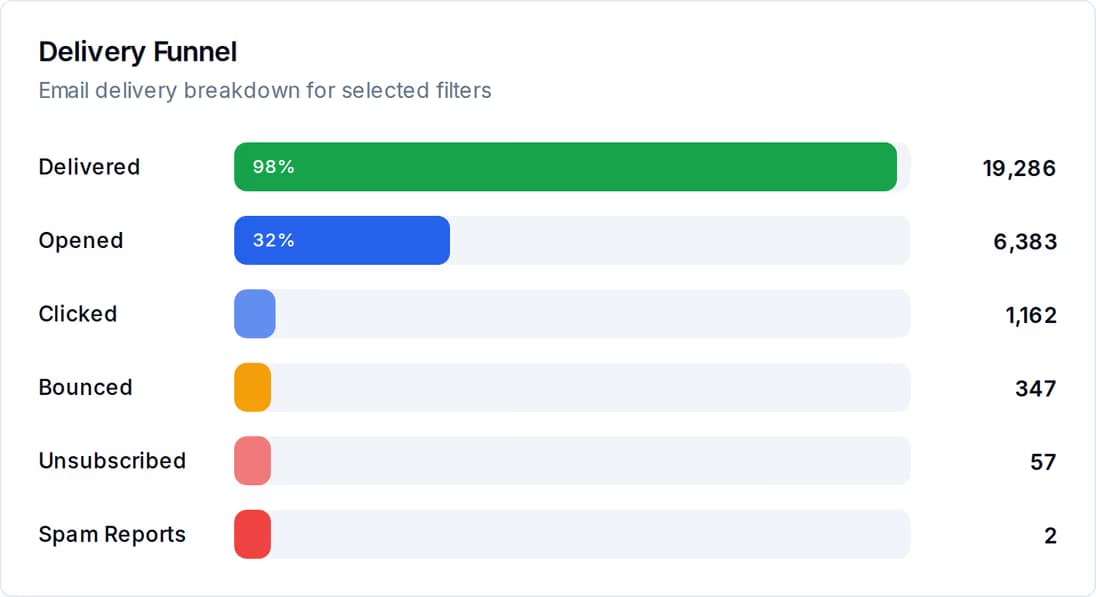
Most businesses need both: the newsletter that goes to thousands of people at once, and the single receipt that has to arrive the second an order is placed. Email does both here — same contacts, same templates, same reports.
Write it once, pick who gets it, and send now or schedule it. A campaign moves through draft, scheduled, sending, paused and completed — and you can pause a send half-way, resume it, or cancel it outright.
Receipts, password resets, booking confirmations. Post one email to the API and get a message id back, then read its state later — sent, delivered or failed, with the reason and code when it fails.
Email is the only channel here that can carry a file: up to 10 attachments and 7 MB in total on the API. SMS and WhatsApp reject attachments outright, so an invoice, ticket or statement goes by email or not at all.
Start from one of your saved templates, install one from the gallery, or type the email straight in. Drop in a name or your business name where you want it, with a fallback for contacts who are missing that detail.
Point the campaign at a saved segment — or several — or filter on tags, status and how engaged a contact is. You can exclude a group in the same step.
Send it now, or set a date and time. The time you type is read in your own timezone, and a job checks every minute and releases the campaign the moment it is due.
Opens, clicks, bounces and unsubscribes land against the campaign as they happen, and every recipient is listed with their own delivery state.
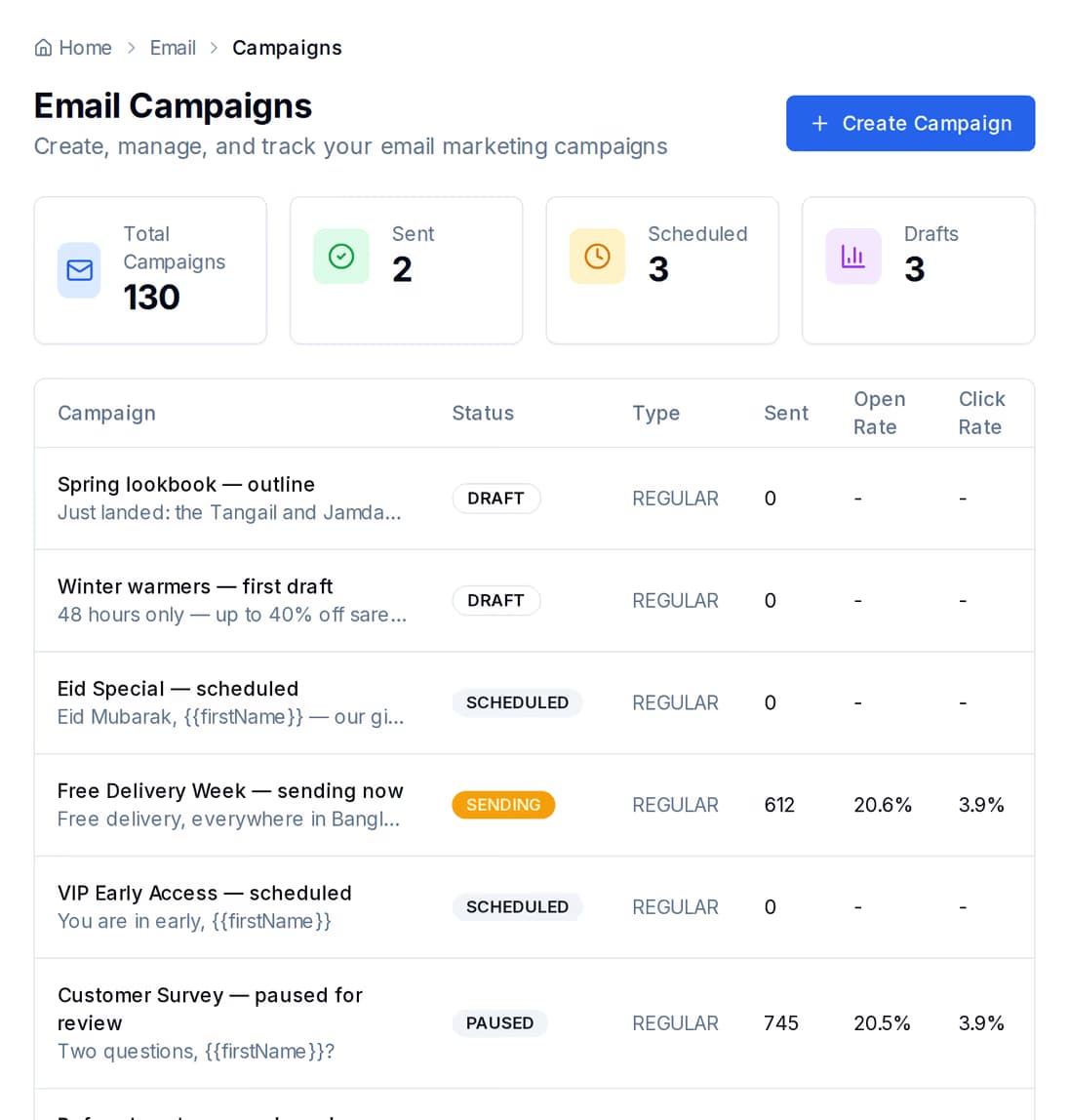
Drafts, scheduled sends, the one going out right now and the one you paused for review — all in a single table, each with the number sent and its open and click rate beside it.
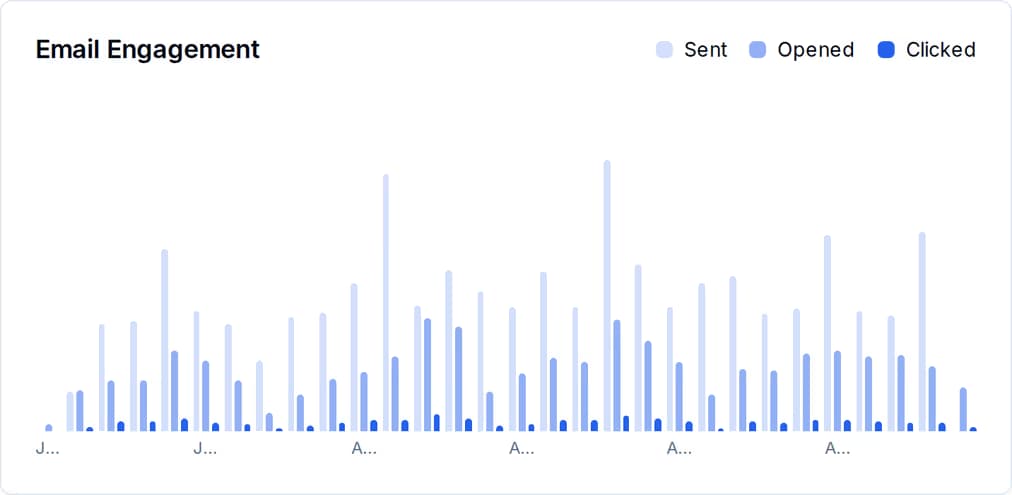
An open is recorded when the email is displayed; a click is recorded when someone follows a link, along with which link it was. Both roll up into the daily chart and into each campaign report.
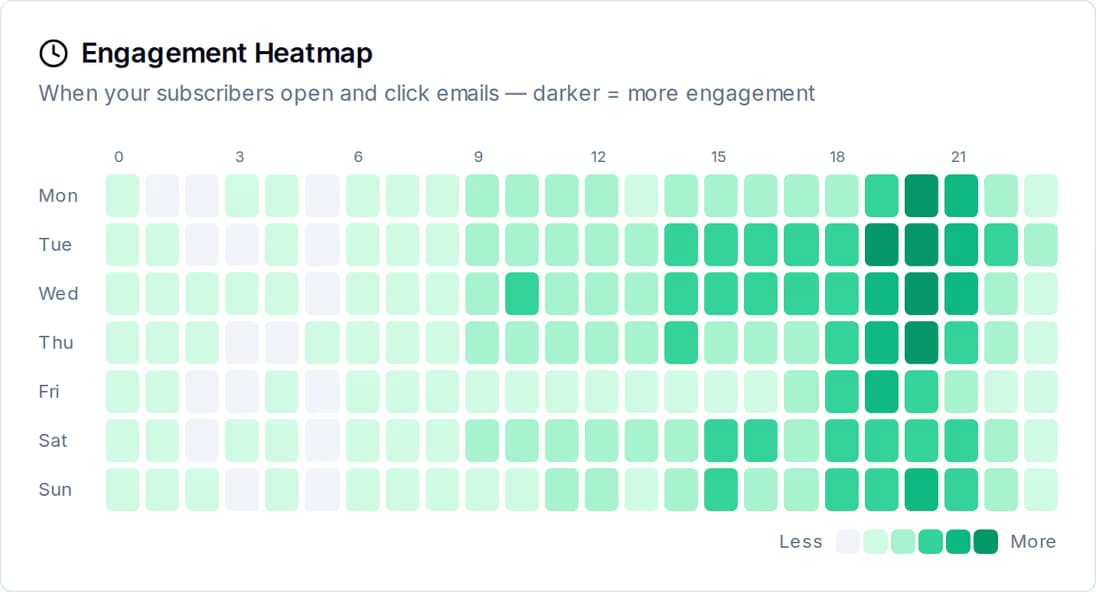
Every open and click is bucketed by day of the week and hour of the day, in your timezone, and drawn as a grid. Darker means more engagement. You are looking for the block that is consistently dark, then scheduling into it.
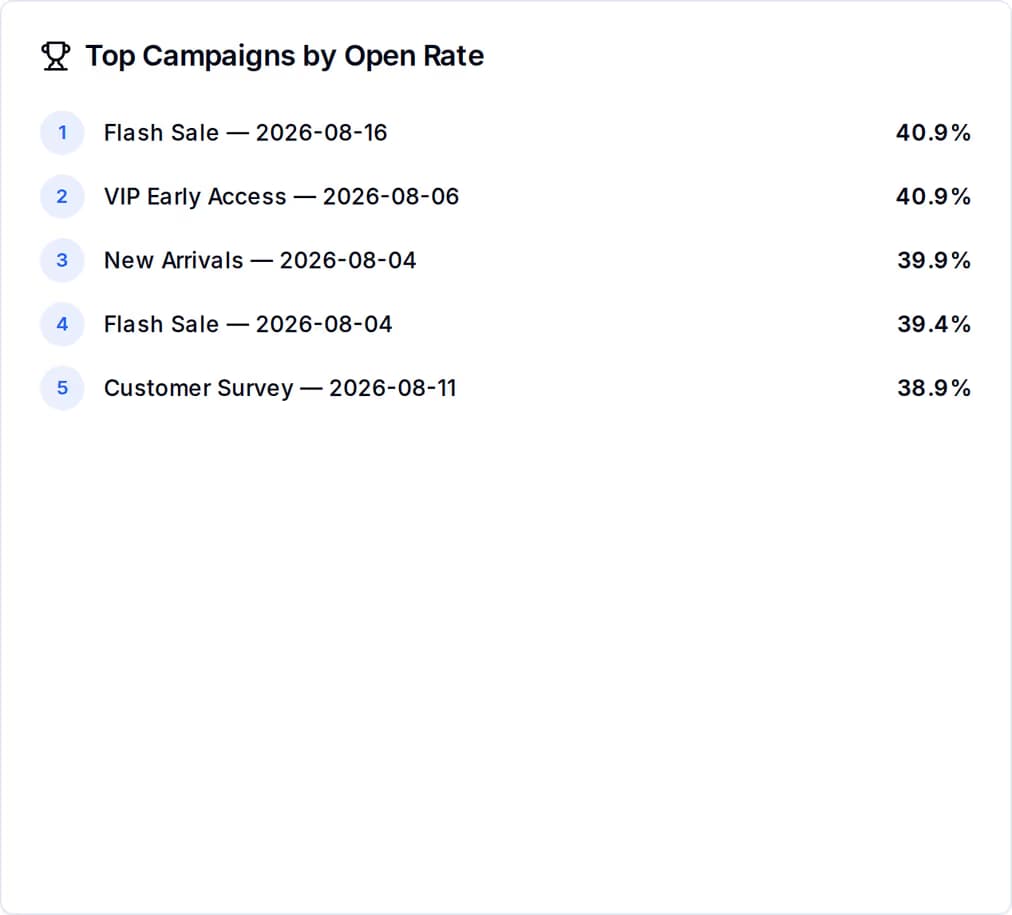
Rank your campaigns by open rate, put two of them side by side, or step back and compare email against SMS and WhatsApp over the same period. Reports can be exported, or scheduled so they arrive without anyone asking.
This is a setting, not a plan. If you already pay an email provider, point QuickGrow at it and keep that relationship. If you would rather not think about it, send through ours. You choose per channel, so email can run on your own service while SMS or WhatsApp run on ours.
| Your own email service | QuickGrow sending | |
|---|---|---|
| Who puts the mail on the wire | Your provider, using your credentials | Our sending service |
| Setting it up | Enter the host, port and login, then run a connection test | Pick a sending plan — nothing else to configure |
| Sending as your own domain | Whatever your provider allows | Add the domain and verify it; until then mail goes out from ours |
| What you pay | The platform fee only — your provider bills you for the mail | The platform fee plus the volume you buy, and buying volume cuts that fee |
| Campaigns, templates, tracking, reports | Yes | Yes |
| Attachments on the API | Yes | Yes |
Not of the campaign itself — there is no test-send button on a campaign draft. What you can do: preview the template against sample data, and send a test email from Settings to confirm your sending set-up works. For a real-world check, many people schedule to a small segment first and look at the numbers before the full send.
No. Enter your own provider’s host, port and login and QuickGrow sends through it — you pay the platform fee and your provider bills you for the mail. Choose our sending instead and you buy volume from us, which in turn reduces the platform fee. It is a per-channel setting, so you can mix.
On the API, yes: up to 10 files and 7 MB decoded in total. Email is the only channel that accepts them — SMS and WhatsApp reject attachments. Bulk campaigns and automated send steps do not carry attachments, so an invoice or ticket goes out as a transactional send.
Bring your own email service and pay only the platform fee, or send through ours and let the volume you buy bring that fee down.
 CyberCraft BangladeshQuickGrow AI
Run every channel from one platform. Bring your own SMTP, SMS gateway, and WhatsApp number — or use ours.
See pricing →