Volume waives part of the fee
Managed volume melts the platform fee. The more email and SMS volume you buy from us each month, the less of the fee you pay — and at a high enough spend it is gone entirely.
Send email, SMS and WhatsApp from one place, catch every reply in one shared inbox, and run all of it off a single contact list you own. Built in Bangladesh, priced in taka.
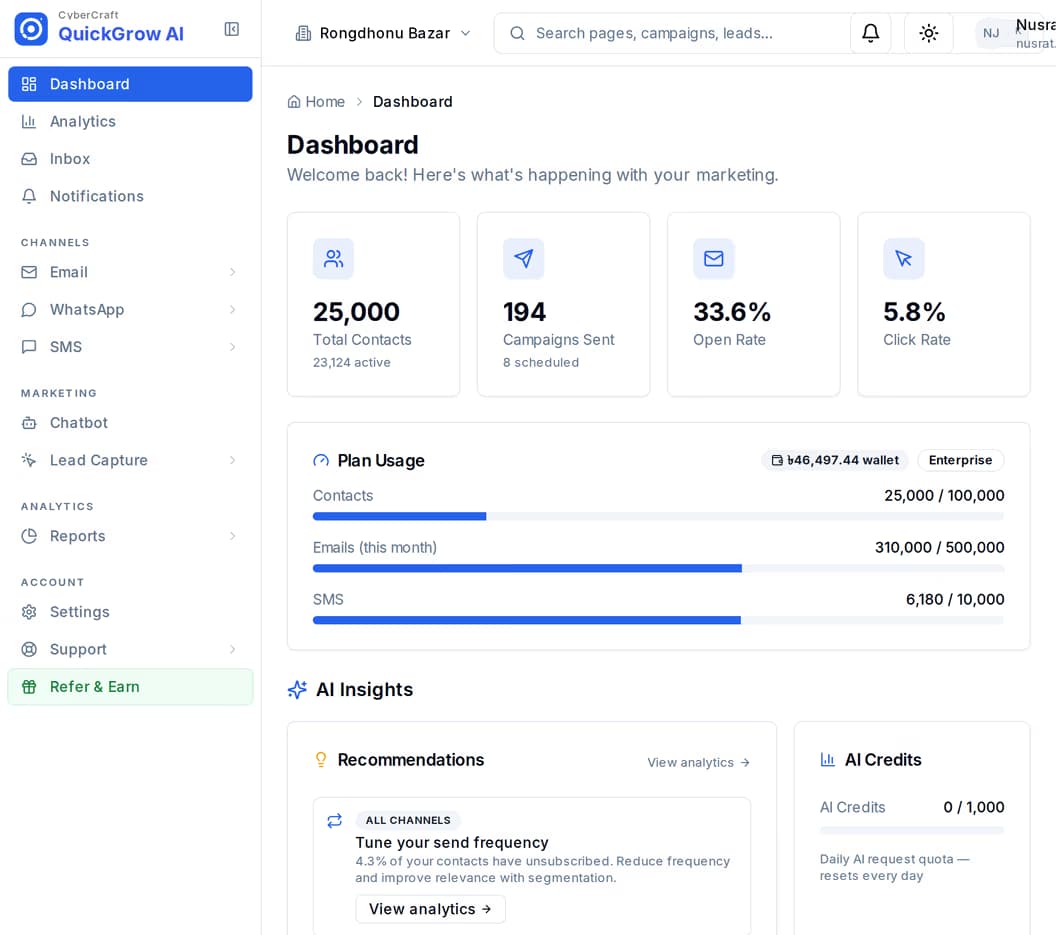
Most of what QuickGrow does is one loop. You bring a list in, you reach it on whichever channel suits the message, the answers come back to one place, and the reports tell you which of it was worth doing. Everything else on this page hangs off that loop.
Import a spreadsheet with your tags and custom fields, or create contacts through the API. Segments then group people by status, source, tag, or how recently they engaged.
Pick email, SMS or WhatsApp for each message. Write it, choose the segment, and send now or schedule it for a time you set.
Email replies, inbound SMS and WhatsApp messages land in one shared inbox, with the conversation history and the contact record beside them.
Delivered, opened, clicked and failed, per campaign and per channel — plus funnels, heatmaps and a comparison across all three channels.
Each channel is bought differently and carries different things — including the parts that constrain you.
| SMS | |||
|---|---|---|---|
| Best for | Anything long, or with a file attached | Short messages that must be read now | Two-way chats and tappable offers |
| How you buy it | Managed volume on a slider, or your own sending server | Masking and Non-Masking, sold separately | Volume per Meta template category, or your own number |
| File attachments | Yes | No | No |
| Night-time window | Not applied | 9pm–8am | 9pm–8am |
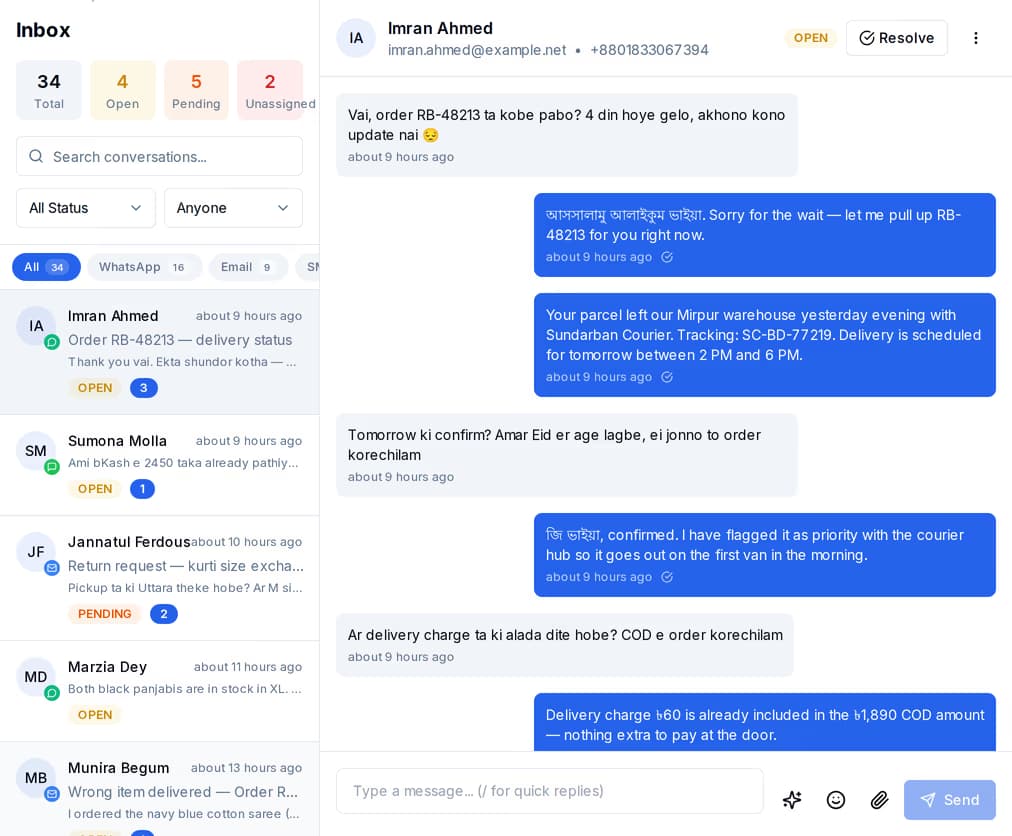
When someone replies to your email, texts back, or messages your WhatsApp number, it arrives in the same shared inbox — not three apps and two phones. The thread history and the contact record sit beside it, so whoever picks it up already knows who they are talking to.
Five layers. The channels send, the inbox catches, the contact list remembers, the growth and automation tools do the repetitive work, and the developer surface lets you drive any of it from your own software.
The three ways a message leaves QuickGrow. Buy one channel or all three.
What happens after someone answers — and the tools that answer for you.
The list underneath everything else. Every other part reads from it.
Fill the list, act on it without doing the work by hand, then see what it did.
For developers, agencies, and anyone who would rather drive QuickGrow from their own software.
These ship with the platform and are not sold separately.
Two things make up the bill, and the second one shrinks the first. Nothing here is per-seat, and there is no charge for turning a module on.
Managed volume melts the platform fee. The more email and SMS volume you buy from us each month, the less of the fee you pay — and at a high enough spend it is gone entirely.
Already have your own sending setup? Connect it and you pay the platform fee alone — there is no volume to buy and nothing marked up.
The platform fee and the message volume each discount on their own ladder as the billing term gets longer. The pricing page shows the blended figure for the term you pick.
No. Start with one. Contacts, segments, automations, the inbox and the reports work the same whichever channels you turn on, so adding a second one later is a purchase, not a rebuild.
On email, yes — up to ten files per message through the API. SMS and WhatsApp campaigns cannot carry an attachment, so send a link instead. The one exception is a one-to-one WhatsApp reply from the inbox, which can pass a media link.
Once your Masking sender ID is approved. You submit a name of one to eleven letters or digits as an application; until it is approved, messages go out from the default sender. Non-Masking sends do not use a name at all.
Everything runs off the same contact list, so nothing you set up today has to be rebuilt when you add the next channel.
 CyberCraft BangladeshQuickGrow AI
Run every channel from one platform. Bring your own SMTP, SMS gateway, and WhatsApp number — or use ours.
See pricing →