A list that is yours
Every number you collect at the counter sits in your own account, with the consent you asked for recorded against it. Nothing depends on who happens to see your page this month.
Build a customer list at the till, group shoppers by what they buy, and bring them back with SMS, WhatsApp and email — sent from a name that looks like your shop, answered in one shared inbox.
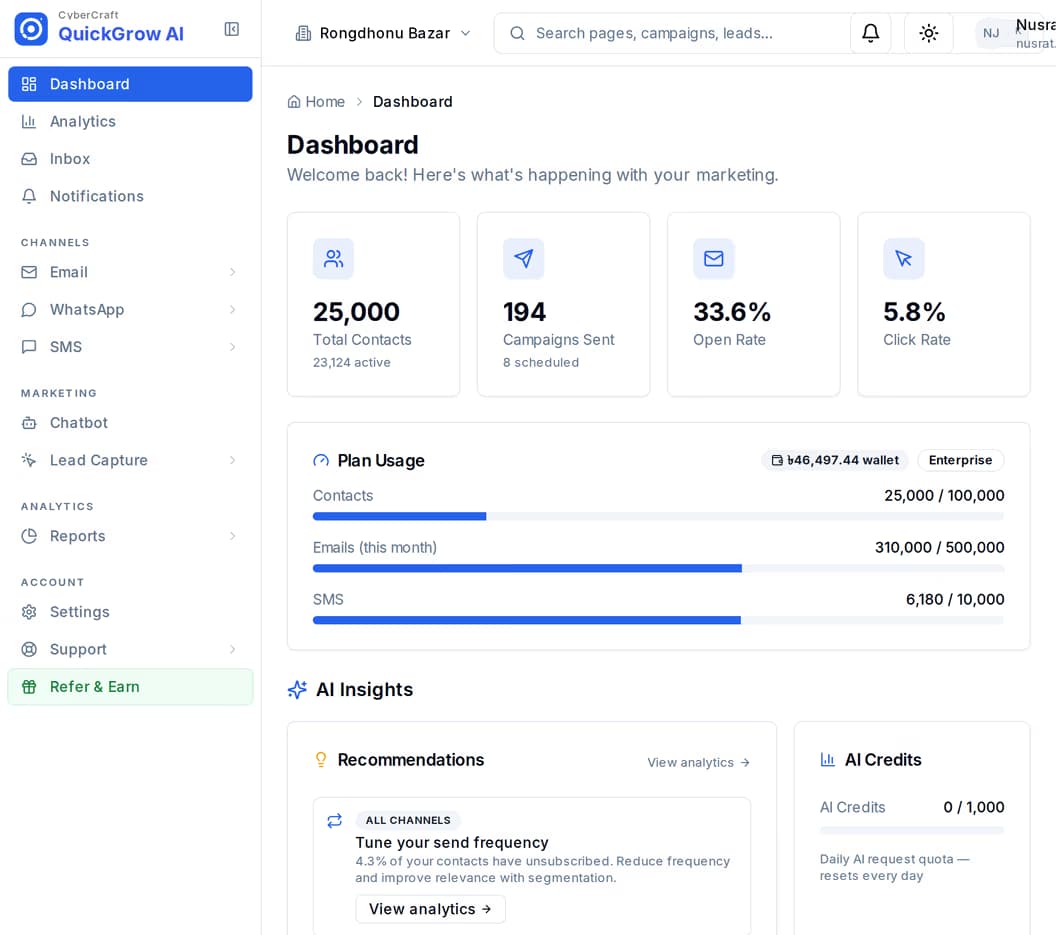
A shopper pays, walks out, and you have no way to reach them until they decide to come back. A discount sign in the window reaches everybody the same — including the people who were going to buy anyway.
Every number you collect at the counter sits in your own account, with the consent you asked for recorded against it. Nothing depends on who happens to see your page this month.
Tag a shopper with what they bought, then send the rice offer only to the people who buy rice. A saved group recounts itself as new contacts come in.
Award points at the till, let shoppers climb tiers, and let them spend the points on a discount code or a free item that you define.
Put a short form on a tablet by the register, or print it as a link on a poster and a receipt. Every submission is stored with the answers given, ready to go onto your list.
Add a tag by hand, to a whole batch at once, or automatically from a form answer. Tags are the thing everything else groups on.
Build a group from tags, source, engagement or when someone last heard from you. Send it by SMS, WhatsApp or email, now or scheduled.
Replies on all three channels land in one shared inbox. Assign a thread to whoever is free, answer with a saved reply, mark it resolved.
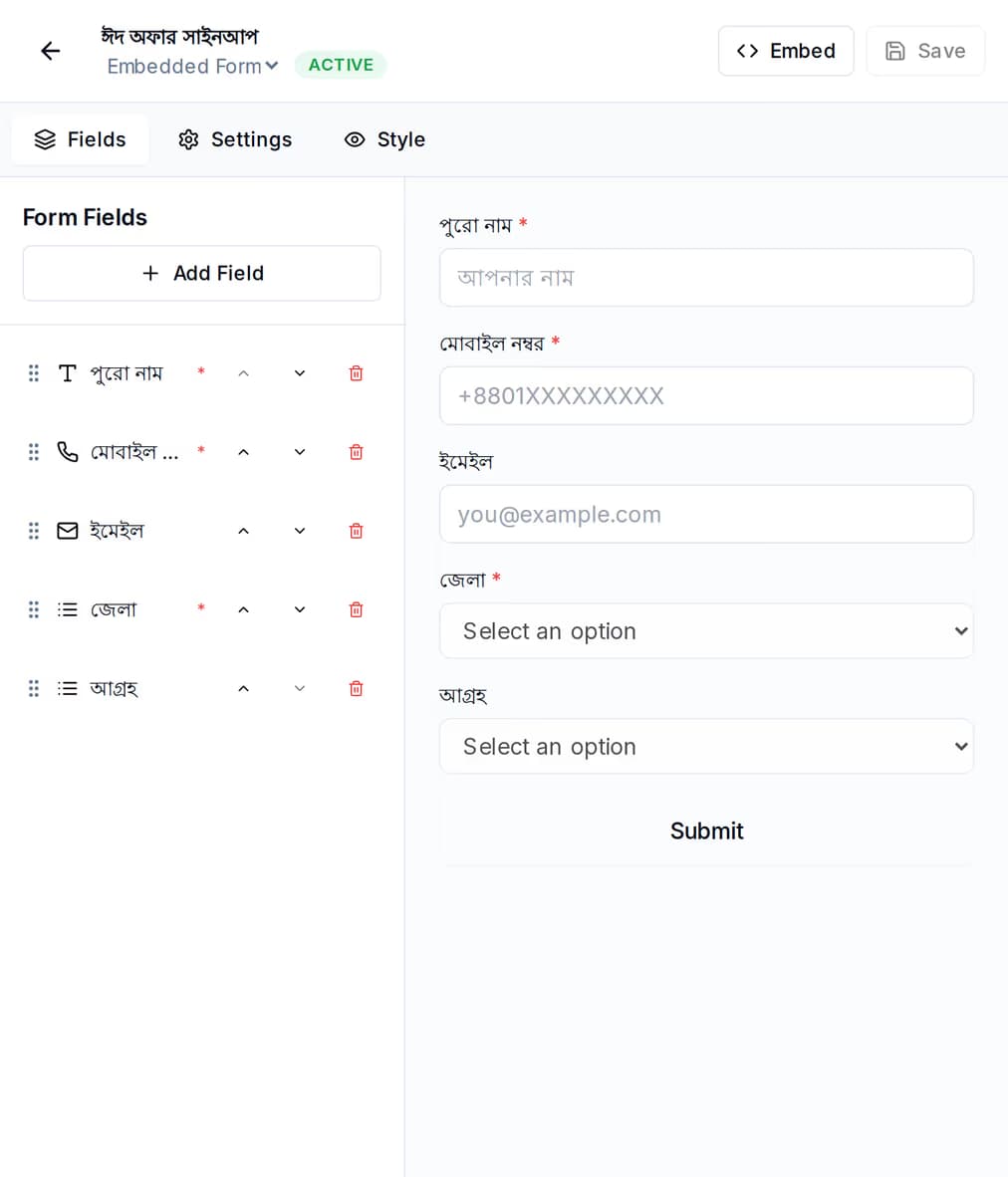
Build the form once — name, mobile number, whatever you need — and put it where people are already standing. Share it as a link if you have no website, or drop one line of code on a site if you do.
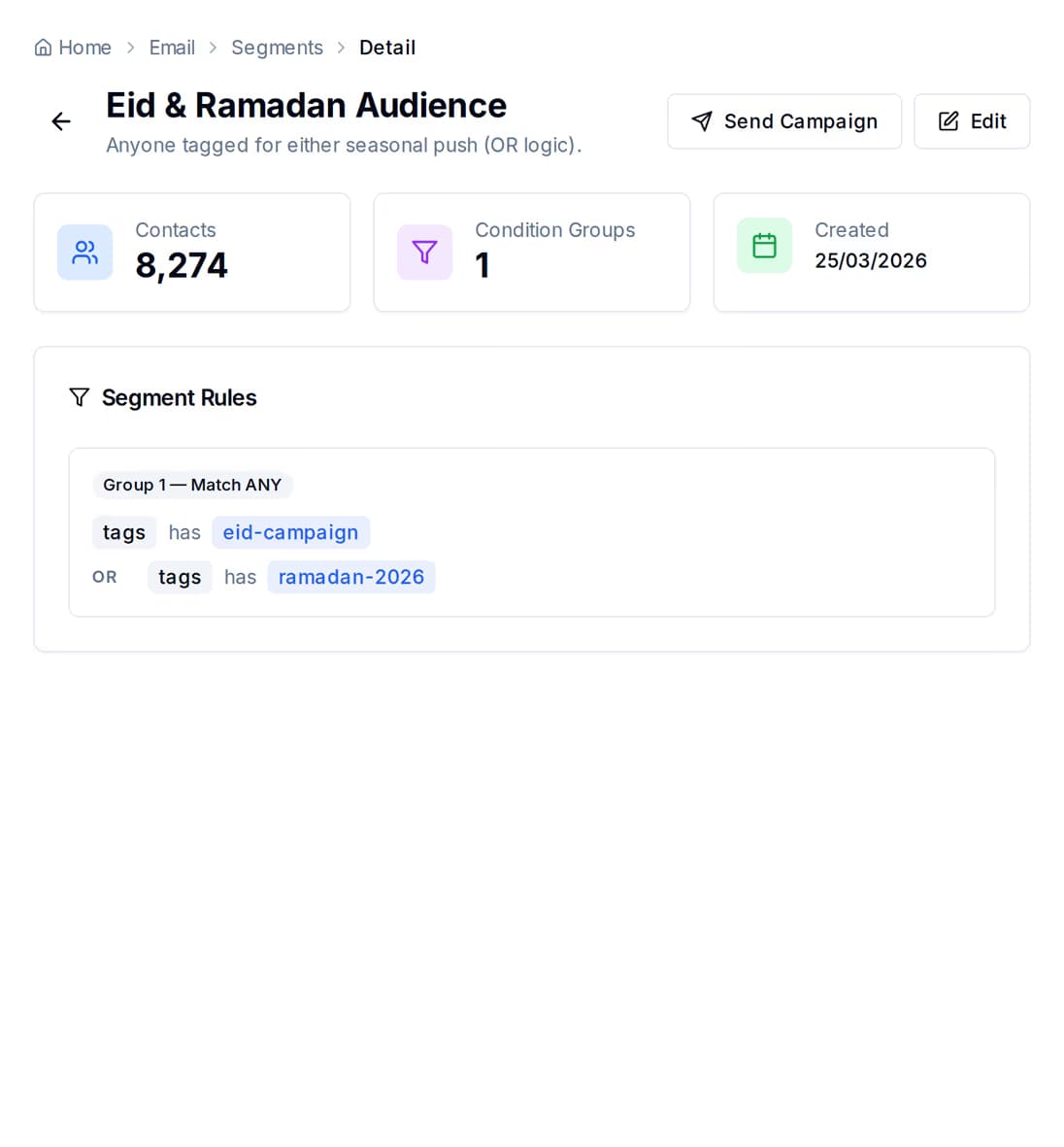
A group is a few rules, and it tells you how many people it matches before you send anything. Add a rule, watch the count move, then send to exactly those people.
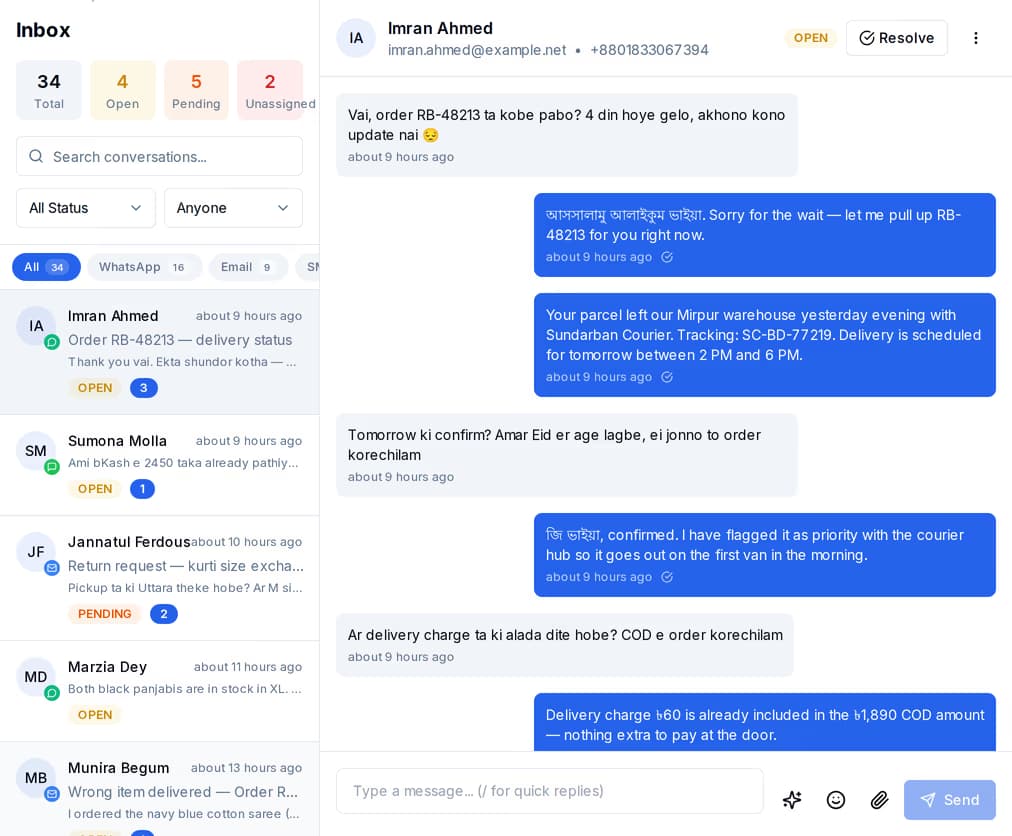
WhatsApp, SMS and email threads sit in the same list, with the customer record beside the conversation — so whoever picks it up can see the tags and the history without asking anyone.
Award points against a customer when they pay, and QuickGrow keeps the balance, the lifetime total and the tier. Points earn faster as a shopper moves up, and the tier moves on its own the moment the lifetime total crosses the line.
| Bronze | Silver | Gold | Platinum | |
|---|---|---|---|---|
| Lifetime points to reach | 0 | 500 | 2,000 | 5,000 |
| Earn rate on points you award | 1x | 1.25x | 1.5x | 2x |
| Benefits shown to the shopper | Rewards access | 25% bonus points | 50% bonus points, priority support | 2x points, exclusive rewards, VIP support |
| Spends points in your rewards catalogue | Yes | Yes | Yes | Yes |
Create what points can be spent on: a discount code, a free product, free delivery, or something you describe yourself. Set the points cost and the stock, and read back every redemption in one history.
Set how long points last and how much warning a shopper gets before they run out. QuickGrow runs the expiry itself, once a day, so nobody has to remember.
Give each shopper a referral code of their own, count what came in through it, and see who your top referrers are on a leaderboard.
Buy one channel or all three. Whatever you buy, the contacts, the groups and the inbox are the same — you are not running three separate tools.
| SMS | |||
|---|---|---|---|
| Best for | Offers and reminders that have to be read | Order and account updates, and conversations | Longer offers, receipts, a monthly newsletter |
| What you need from the shopper | A mobile number | A mobile number on WhatsApp | An email address |
| The sender shows as | Your brand name with Masking SMS, a shared number without it | Your business profile on WhatsApp | Your own address, from your mail server or ours |
| Sold as | Masking and non-masking, each on its own volume slider | Nothing to buy — Meta bills you directly, at Meta's own rate | Included volume, or bring your own mail server |
| Replies land in the shared inbox | Yes | Yes | Yes |
Two things: a platform fee, and the messages you send. Buying managed volume waives part of the platform fee, and buying enough Email and SMS volume waives it entirely. If you already have your own mail server or SMS account, you bring it and pay the platform fee only. A longer billing term discounts both, on separate ladders.
No. The sign-up form works as a link you can print on a poster at the counter or on the receipt, and you can add contacts by hand or upload a spreadsheet. If you do have a site, the same form embeds with one line of code, or runs as a popup.
With Masking SMS, yes. A masking name is 1 to 11 letters or digits and goes through an approval application first; until it is approved, and on non-masking, messages go out from a shared number. Masking and non-masking each have their own volume slider, so you can buy both.
Tags you add, where the contact came from, an engagement score, when they last engaged, and when they were added. Purchase history becomes a tag: tag a shopper at the till and every rule can use it from then on.
Build a form, print the link, and send your first offer to a group you actually chose.
 CyberCraft BangladeshQuickGrow AI
Run every channel from one platform. Bring your own SMTP, SMS gateway, and WhatsApp number — or use ours.
See pricing →