
Partners

Sell messaging without building it.

If you sell software or services to businesses, the Partner API lets your own system create, run and bill a QuickGrow account for each of your customers — twenty-four calls covering the whole life of that account. You keep the customer. We carry the email, SMS and WhatsApp.

24 Partner API endpointsSigned, server-to-serverA real account per customer
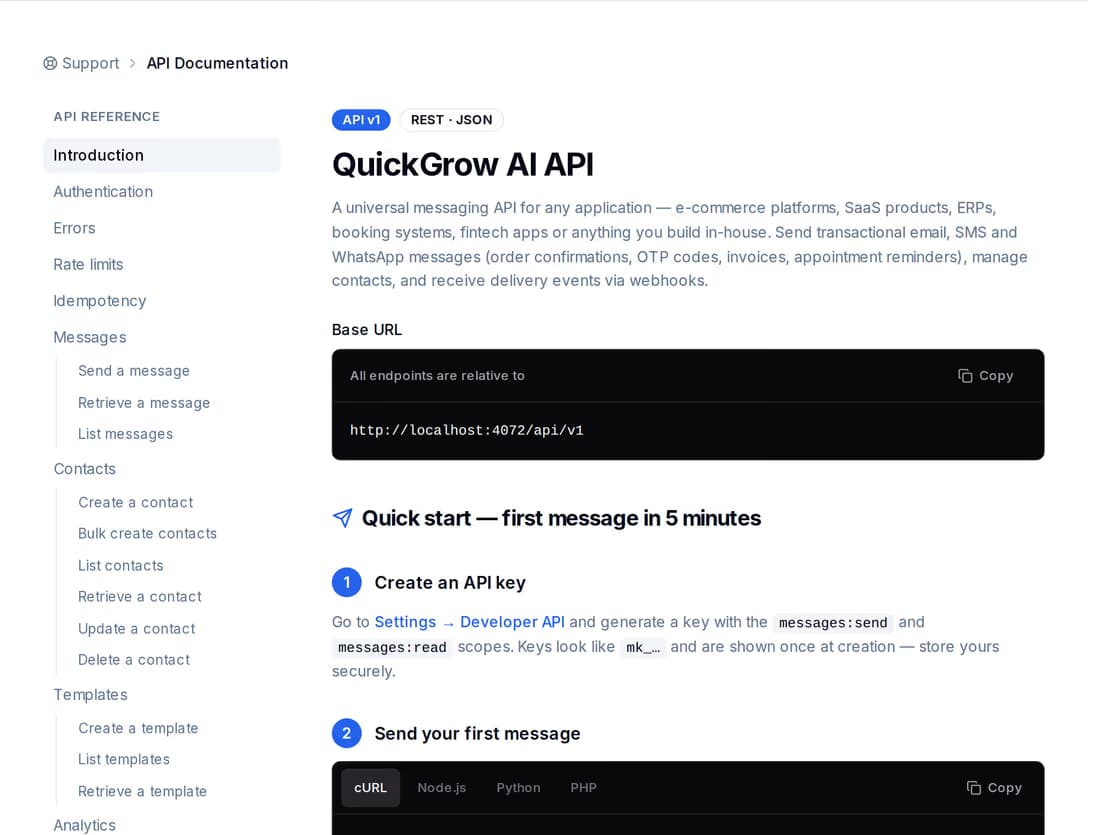
The QuickGrow API reference: a list of endpoints on the left, and the request and response detail for one endpoint on the right.

You want messaging on your invoice, not on your roadmap.

Carrying email, SMS and WhatsApp yourself means operator contracts, a sender-name approval, a WhatsApp Business account, delivery reporting, and somebody on call when a send fails. This page is for companies who would rather sell that than build it.

Software vendors

Your product needs to text people.

You already sell a system — a school platform, a clinic booking tool, a delivery app — and customers keep asking it to send reminders and codes. Your code creates a QuickGrow account per customer and sends through it. Whether they ever log in is your decision, not ours.
Resellers and integrators

You already have the customers.

You sell and support software to a book of businesses. Add messaging to what you sell, onboard a customer with one call instead of a form, and read back a ledger line per customer so the monthly invoice is a query rather than an afternoon.

Sales-gated

A partner key is issued, not signed up for.

There is no self-serve partner tier. We create the partner record, agree the scopes your key carries, and lock it to the server addresses you call from. That conversation starts on the contact page.

Not quite you? If you run the campaigns for your clients yourself, the agency route fits better. If you only want to make the introduction, the referral programme pays for that.

Four moves, and you are running accounts.

The Partner API is server-to-server: your backend calls ours, using your own id for each customer. Nothing in this loop needs a person in a browser.

  1. We issue your key

    It carries only the scopes you ask for — creating accounts, reading, sending, billing — and can be restricted to your own server addresses. Every request is signed and stamped with the time; one more than five minutes old is refused, so a copied request is dead.

  2. Your system creates the account

    One call, carrying your own id for that customer, creates the account, its owner login and a key for your code to send with. Call it again with the same id and you get the same account back — a retry never leaves you with two.

  3. You send, and read back

    One-off sends for codes, receipts and alerts, or a batch to a list of recipients or a saved segment, with a cost estimate before you commit. Every message comes back with a state and, when it fails, a reason.

  4. You bill and run the lifecycle

    Read top-ups, spend and balance per customer since any date you choose. Suspend an account and its keys stop working; resume and they come back; schedule an erasure of the data when the relationship ends.

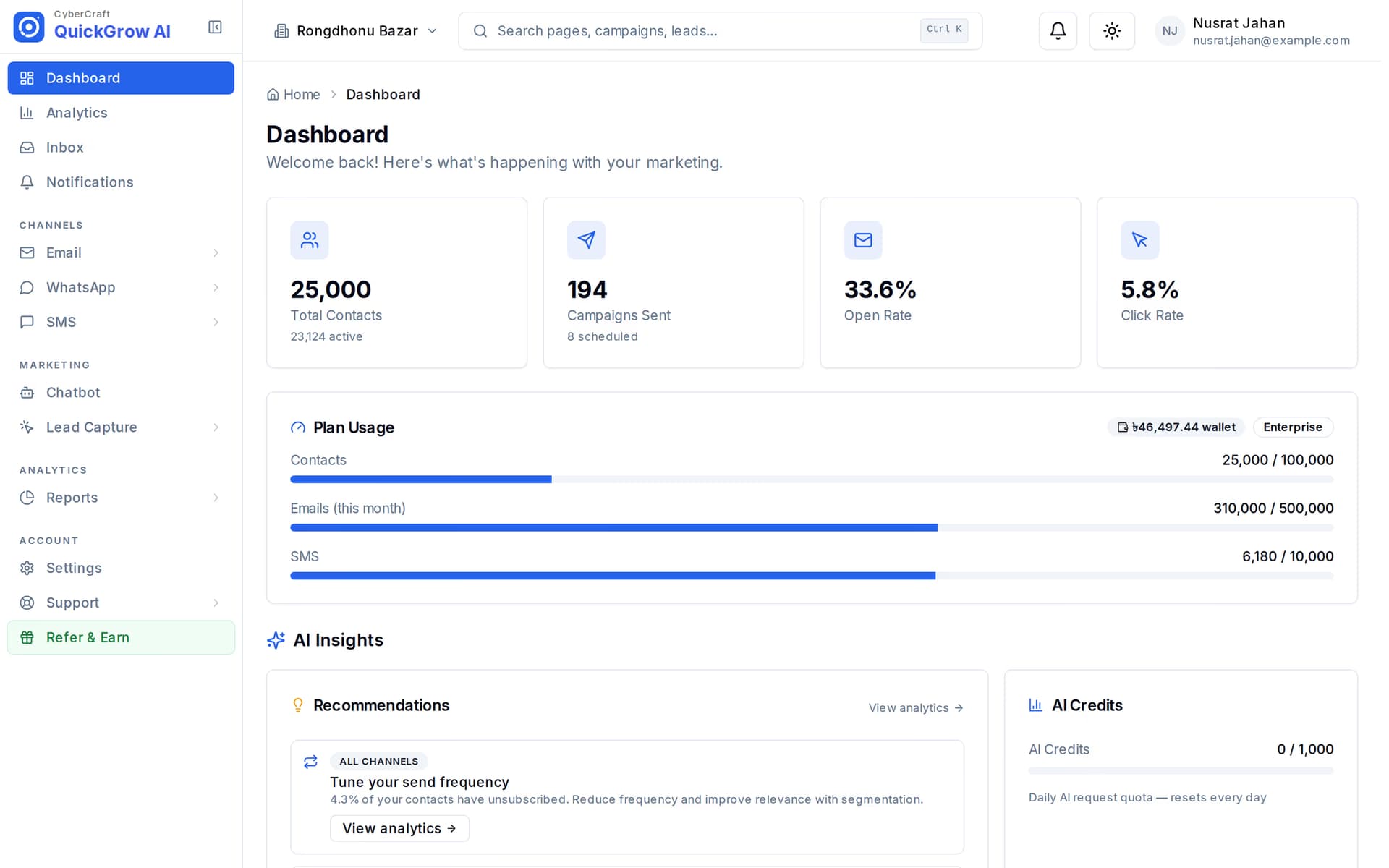
A QuickGrow account dashboard: counts for contacts, campaigns and messages sent, with recent activity listed below.
Provisioning

Your customer gets a real account, not a stub.

One provisioning call builds the whole thing: the account, its owner user, a starter wallet and an API key for your code. Inside it is the same product this site sells — contacts, campaigns, a shared inbox, reports — so if you ever do hand the login over, there is something worth logging into.

  • The key your code receives is deliberately narrow: send and read messages, read and write contacts, read templates. It cannot reach their billing, their settings or their team.
  • The owner is emailed a link to set their own password, good for a week. A plaintext password is never sent, and never returned to you.
  • Rotate that account’s key whenever you want — the previous one is switched off in the same call.

Twenty-four endpoints, and what each group is for.

This is the whole Partner API as it ships today. Everything below is reachable from your own backend with a partner key, and none of it needs one of your customers to do anything first.

Accounts and lifecycle

  • Create an account using your own id for the customer, and get the same one back on a repeat call
  • Update the account’s name, contact details and branding as your own records change
  • Rotate the account’s key, which switches the old one off

Sending and proof

  • Send one message on a customer’s behalf and get the message id back, so a delivery result can be matched to it
  • Queue a batch to a list of recipients or a saved segment
  • Ask what a send would cost before you commit — Bangla fits fewer characters into an SMS, and the estimate knows

Money and reconciliation

  • List plans, with a size suggestion from a customer’s contact count and expected monthly SMS
  • Read a billing summary per customer: plan, wallet balance, and messages left on email and SMS — WhatsApp is billed by Meta directly to the customer, not from this wallet
  • Generate a QuickGrow-hosted plan checkout or wallet top-up link for a customer to pay us directly

Whose name appears where.

Worth settling before you build. QuickGrow is a co-branded platform rather than a white-label one: what your customer’s own recipients see is your customer’s brand, and the product your customer would log into is still ours.

If a dashboard re-skinned under your own name is a requirement, raise it with us before you buy rather than assuming it.
Whose name appearsWho sets it
The email, SMS and WhatsApp their customers receiveYour customer’sSet per account, by you or by them
The account name, logo and sender details inside the productYour customer’sYou, at set-up or on any later update call
The dashboard and login page, if your customer ever opens oneQuickGrow’sNot re-skinned today
A “Powered by QuickGrow” logo and channel icons the API hands youQuickGrow’sOurs, for you to place inside your own product
Your product, your support, your invoiceYoursYou — we are not in that conversation

What partners ask before they commit.

Is this white label?

No, and it is worth being blunt about it. Messages go out under your customer’s own sender name, and the account carries their name and logo, so their recipients see them rather than us. But the QuickGrow dashboard is not re-skinned under your brand, and there is no switch that makes it so. What the Partner API does hand you is a “Powered by QuickGrow” logo and channel icons to place inside your own product. If a re-skinned dashboard is a hard requirement, tell us before you sign anything.

What stops a mistake reaching another partner’s customer?

Every account belongs to exactly one partner, and that check runs before anything else. Ask for an account you do not own and the answer is “not found” — not an error that confirms it exists, and never somebody else’s data. On top of that, your key carries only the scopes you asked for, can be locked to your own server addresses, and every request must be signed and time-stamped.

What happens if my job retries and creates the account twice?

It does not. Accounts are keyed on your own id for the customer, so a second call with the same id returns the account that already exists and does not mint a second key. The same holds for a batch send: repeat the same request key and you get the original batch back rather than sending twice.

Tell us what you are building.

Bring the shape of it — how many customers, which channels, and whether you want them paying us or you. We will tell you what your key needs to carry and what the terms look like.