You authenticate once
Paste the token or the key pair into Settings → Integrations. It is encrypted the moment it is saved and is never handed back to the browser. Every connection is named, so several stores or several client accounts stay apart.
Connect Shopify, WooCommerce, HubSpot or Salesforce with one set of credentials, and QuickGrow reads what is in there every six hours and reports what it found. Everything else — your own shop software, your own back office — goes through the REST API and webhooks.
Each of these has a page of its own with the exact fields, what a run reads and what happens when one fails.
A connection is not magic and it is not a mystery. Three things happen, and you can see all three.
Paste the token or the key pair into Settings → Integrations. It is encrypted the moment it is saved and is never handed back to the browser. Every connection is named, so several stores or several client accounts stay apart.
A scheduled run reads your records and records how many of each it found and when it finished. If the run fails, the last successful read time does not move, so the next run covers the same stretch again rather than skipping it.
A failed run marks the connection failed and keeps the reason. The owners and admins on your account are notified. You are also notified when a connection is added and when one is switched off, so nobody does it quietly.
There is no app to install on your site, no theme edit and no marketplace queue. Anyone who can reach the admin of their own tool can finish this.
A token in your Shopify admin, a read-only key pair in WooCommerce, a private app token in HubSpot, an access token in Salesforce. You never hand over the password to any of them.
Settings → Integrations, pick the tool, fill in the two or three fields, and name the connection. Nothing is installed on your site and there is no marketplace approval to wait for.
It pages through your records in batches until the other side says there are no more, then reports the count of each thing it read.
Every six hours, for every connection that is switched on. Disconnect and the runs stop the same day; revoke the token at your end and it is cut off from there too.
Most integration pages stop before this part. Read it now rather than after you have planned a campaign around it.
The connection reads your store or your CRM and reports what each run found. It does not create contacts, deals or tags in QuickGrow from that read. Your list is built the three ways below — and that is worth knowing before you plan around it.
A record edited on the other side shows up on the next run, not the same second. If you need something to happen the moment it happens, that is the API and webhooks, not the scheduled read.
Journeys run on QuickGrow’s own events: a contact created or updated, a tag added or removed, a form submitted, a campaign opened or clicked, or a date on a contact field. There is no order or cart trigger, so a cart journey is a tag journey — you set the tag, the sequence follows.
No order is edited, no product is changed, no customer record in your tool is touched. Read access is all any of the four connectors asks for, and the address it calls is checked first so a connection cannot be pointed at something private inside a network.
Same schedule, same one-way direction, different sign-in and different objects. The last three rows are the ones worth reading twice.
| Shopify | WooCommerce | HubSpot | Salesforce | |
|---|---|---|---|---|
| How it signs in | Shop domain and an Admin API access token | Store address and a read-only key pair | A private app access token | Instance address and an access token |
| What it reads | Customers, orders, products | Customers, orders, products | Contacts, deals | Contacts, leads |
| Read again every six hours | Yes | Yes | Yes | Yes |
| Later runs ask only for what changed | Customers and orders | Customers and orders | No — the full list every run | Contacts and leads |
| Re-read in full every run | Products | Products | Contacts and deals | Nothing |
| Anything written back into your tool | No | No | No | No |
| Incoming webhook accepted and its signature checked | Yes | Yes | No | No |
| QuickGrow can register that webhook for you | Yes | No | No | No |
| Contacts created in QuickGrow from what it reads | No | No | No | No |
Three ways, all of them working today, and all of them feeding the same list that your campaigns, groups and journeys run on.
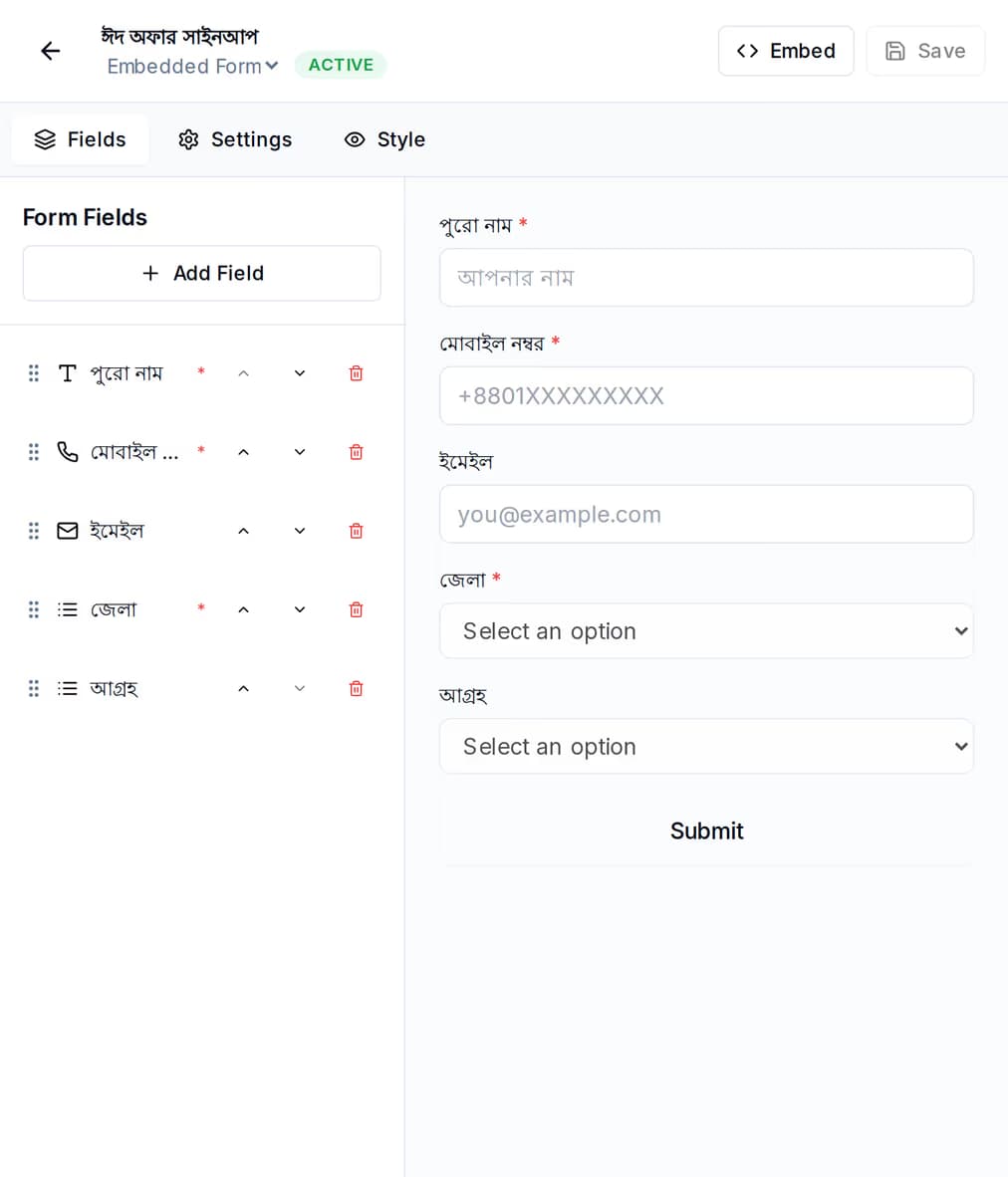
Build it once — name, mobile number, whatever you actually need — and put it where people already are. Share the link if you have no website, or drop a single line of code on the site you do have.
The REST API and webhooks are the same surface the connectors themselves run on, and they are the honest answer for a shop system, an internal tool, or anything the connectors do not cover.
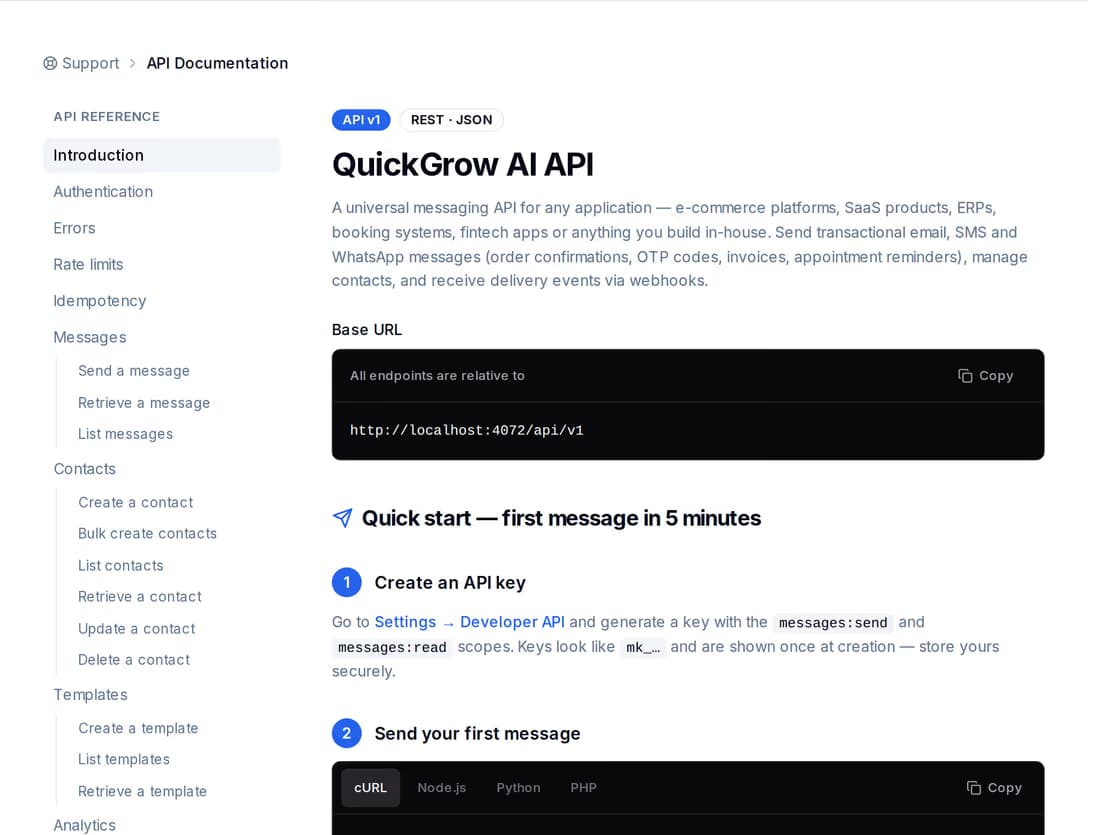
Create and update contacts, send on email, SMS or WhatsApp, and read the state of every message you sent — all with a key you scope to exactly what that system should be allowed to do.
Not today. The connector authenticates, reads your records on a six-hour schedule and reports what each run found — how many customers, orders, products, contacts, deals or leads it read, and when. It does not create QuickGrow contacts from that read. Your list is built by uploading a spreadsheet, by capturing people on a form or popup, or by pushing them in from your own code through the API. If automatic contact creation is the piece you are waiting for, say so on the contact page and we will tell you where it sits.
No. All four connectors read and only read. Read access is all they ask for, and no order, product, customer or CRM record is created, edited or deleted on your side. The address a connection calls is also checked before every request, so a connection cannot be turned inward at something private on a network.
It runs every six hours for every connection that is switched on. The first run reads everything; later runs ask Shopify, WooCommerce and Salesforce only for the records changed since the last successful read, while Shopify and WooCommerce catalogues and the whole HubSpot list are re-read in full. If a run fails, the last successful time is left where it was, so the next run covers the same stretch again.
Not through the scheduled read. Two things are instant. Shopify and WooCommerce webhooks are accepted and their signature is checked — on Shopify, QuickGrow can register the webhook in your store; on WooCommerce you add it yourself in the WooCommerce settings — but the contents are acknowledged, not yet turned into a contact or a journey. The route that does act immediately is the API: create the contact, add the tag, or send the message from your own code the moment the event happens.
Use the REST API and webhooks — the same surface the connectors run on. Create and update contacts with a scoped key, send on any channel, and read back the delivery state of every message. In the other direction, subscribe a URL of yours to message events and QuickGrow posts to it, signed, with retries and a delivery log you can read. A journey can also call a URL of yours as a step, which is how a Zap or an internal script gets driven from a sequence.
They are encrypted the moment they are saved and are never returned to the browser afterwards — the portal only ever tells you whether a connection has credentials, never what they are. Every outbound call is checked against its destination first, and redirects are not followed, so a call cannot be quietly sent somewhere else. Disconnecting stops the scheduled runs, and revoking the key or token in your own tool cuts it off from that end.
Yes. Each is its own named connection with its own credentials, and every switched-on one is read on the same six-hour schedule. If you run accounts for other businesses, each of those is separate at the account level too, so one client’s data is not visible from another’s.
Email, SMS and WhatsApp in one account, on one bill, with an API for everything the connectors do not cover.
 CyberCraft BangladeshQuickGrow AI
Run every channel from one platform. Bring your own SMTP, SMS gateway, and WhatsApp number — or use ours.
See pricing →