Whose contacts are these?
One big list with a tag per client is one bad filter away from sending a jewellery offer to a clinic’s patients. You want the accounts genuinely separate, not separated by care.
Give every client their own account — their contacts, their campaigns, their inbox, their sender details — and run all of them from one login. Or create and manage those accounts straight from your own system with the Partner API, and decide for yourself whether you bill the client or they pay us.
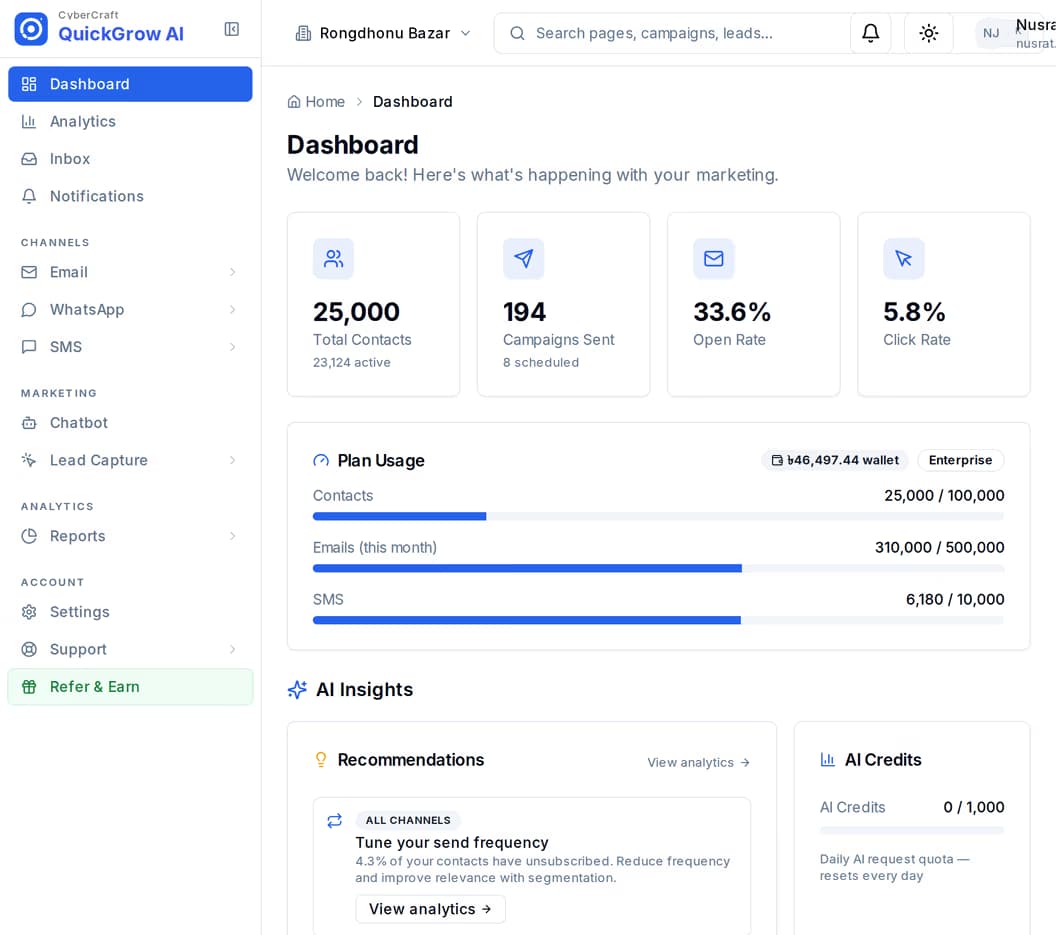
Ten logins. Ten lists you hope nobody mixes up. A client who wants a report on Thursday and a top-up on Friday. And the quiet worry that somebody sent the wrong offer to the wrong shop. None of that is a marketing problem — it is a plumbing problem, and it is what this page is about.
One big list with a tag per client is one bad filter away from sending a jewellery offer to a clinic’s patients. You want the accounts genuinely separate, not separated by care.
A shared password per client is how somebody who left last year keeps access. You want your team inside each account with the access their job needs, and nothing more.
Every client eventually asks what went out and what arrived. Rebuilding that from screenshots each month is unpaid work you do forever.
A client runs out of credit halfway through a send and it is your phone that rings. You want to see the balance falling before it becomes your problem.
The Partner API is a server-to-server surface: your system calls ours, using your own id for each client. This is the loop it supports, end to end.
One call, carrying your own id for that client, creates a full account, its owner login and an account key returned once. Call it again with the same id and you get the same account back — no duplicate to clean up.
Send one message for a code, a receipt or an alert, or queue a batch to a list of recipients or a saved segment. Ask for a cost estimate first, then watch the batch by state while it runs.
Read that client’s sent and delivered counts per channel for the last 7 or 30 days, and pull a batch report with per-state counts and a signed token, so the figures can be checked rather than trusted.
Read a ledger line per client — top-ups, spend and balance since any date you choose — and invoice them yourself. Or send them a payment page carrying your name and let them pay us directly.
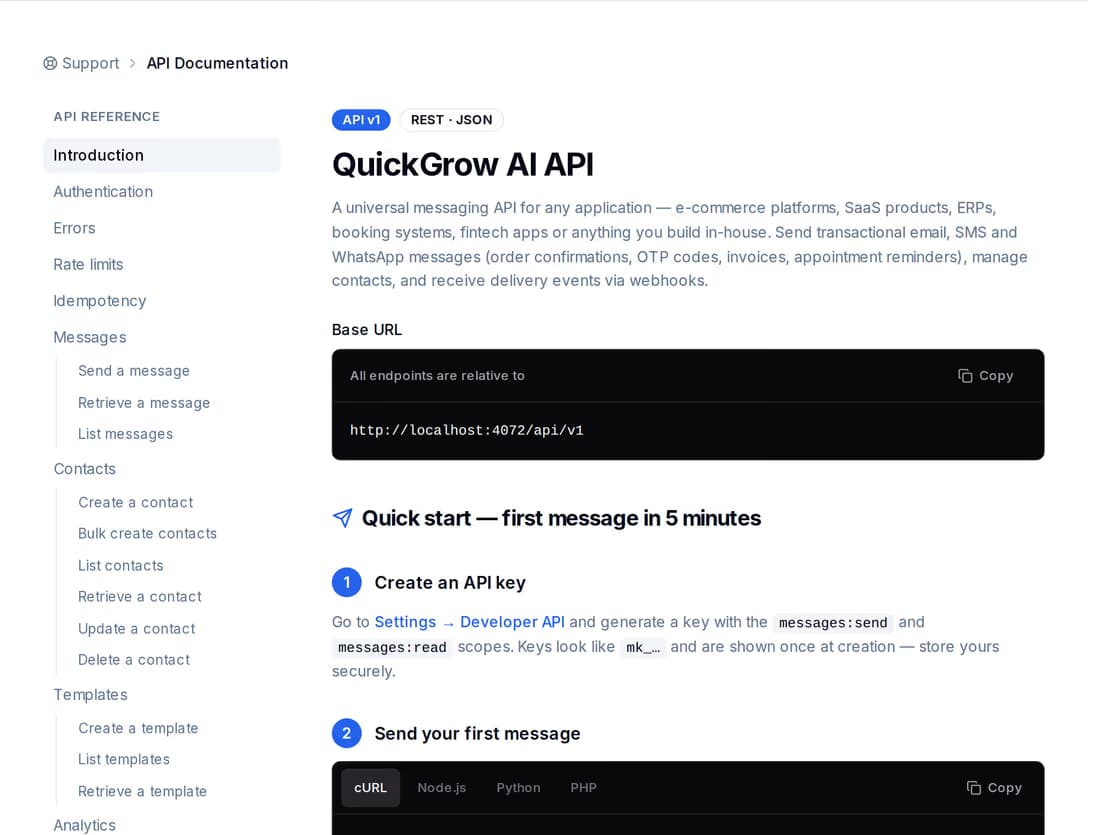
Twenty-four endpoints cover the whole life of a client account: create it, sync its name, phone, address and branding, rotate its key, suspend it, resume it, and schedule an erasure when the relationship ends. A suspend switches that account’s keys off and stops its sends; a resume puts them back.
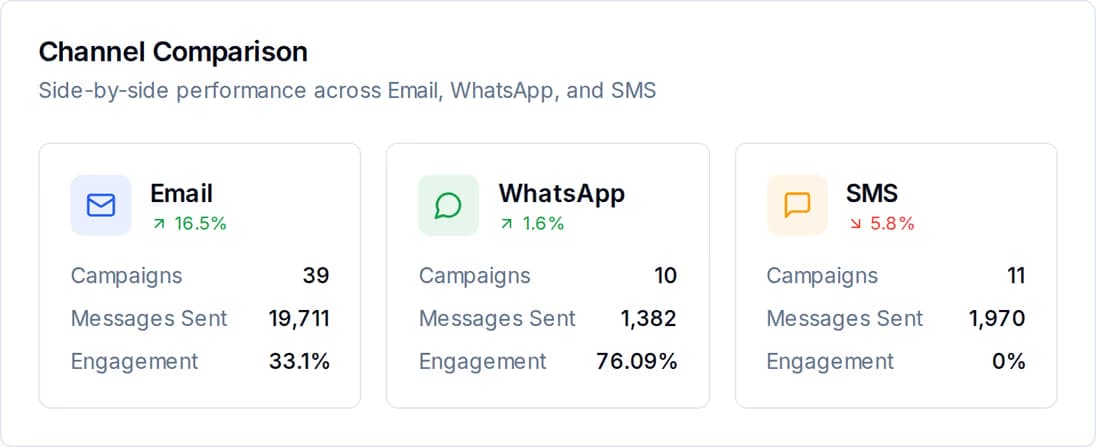
Each client account keeps its own campaign reports, funnels and channel comparison, so "what did you send us last month" is a screen you open rather than a spreadsheet you rebuild. Through the Partner API the same delivery figures come back as data, so you can drop them straight into your own client dashboard.
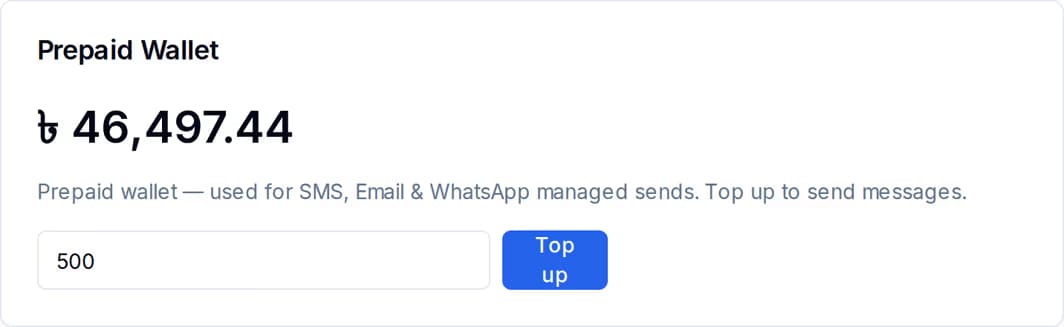
Both work, and you can mix them client by client. Buy the volume yourself and invoice on your own terms — or hand a client a hosted plan checkout or wallet top-up page carrying your display name, your logo and your colour, and let them pay directly. Either way you can read each account’s top-ups, spend and balance since any date, so the monthly invoice is a query.
All of this is in the product today. Anything driven from your own system needs a partner key from us; the rest works from an ordinary login.
Most agencies start on the left and move right as the client list grows. They are not exclusive — you can hold your own brands and run partner accounts at the same time.
| Brands on your account | Partner API | Referral | |
|---|---|---|---|
| How an account starts | You add a brand from your dashboard | One call from your own system | You send the business your link |
| Who holds the login | You | The client owns it; you hold a scoped key | The client |
| Client can log in themselves | No | Yes | Yes |
| Volume | Pooled across the brands on one subscription | Each client has their own plan and wallet | The client’s own |
| Who pays us | You | You, or the client on a page in your name | The client |
| Needs a partner key from us | No | Yes | No |
| Suits | A handful of clients you fully manage | A client list you onboard from your own product | Businesses you refer but do not run |
No. Each client is a separate account, and contacts, campaigns, conversations and reports belong to that account only — the separation is enforced in the database, not by a filter somebody has to remember to apply. A key issued for one account cannot reach another: ask for an account you do not own and the answer is "not found", not a leak.
Talk to us and we set up the partner record and issue your key. It carries only the scopes you ask for — creating accounts, reading, sending, billing — and can be restricted to your own server addresses. Every request must be signed and carry a timestamp, and a stale one is rejected, so a copied request cannot be replayed later.
Each client account carries its own name, logo and sender details, so what reaches the customer is the client’s brand, not ours. The plan checkout and wallet top-up pages you generate for a client carry your display name, logo and colour. The QuickGrow dashboard itself is still QuickGrow — if a fully re-skinned dashboard is what you need, raise it with us before you buy.
Open an account, add a brand for your first client, and see how it fits before you move the rest. When you want accounts created from your own system, we will talk about a partner key.
 CyberCraft BangladeshQuickGrow AI
Run every channel from one platform. Bring your own SMTP, SMS gateway, and WhatsApp number — or use ours.
See pricing →